Model Fidelity Reduction on Anti-Roll Bars
The model Fidelity feature allows to reduce the Adams Car Anti-Roll Bar component in your Adams Car assembly from a higher-fidelity Beam or FE-Part method to a lower-fidelity (and, thus, faster solving) Simple method.
When selecting Tools → Model Reduction → Anti-Roll Bars a wizard will be launched that will guide you through the reduction process.
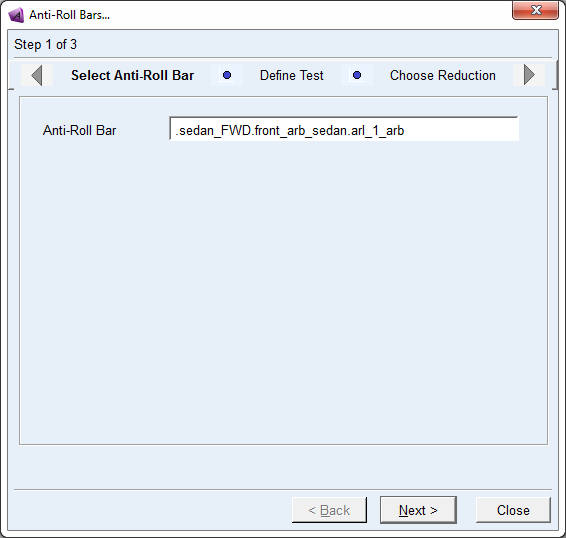
In the Select Anti-Roll Bar page, you need to select the Adams Car Anti-Roll Bar component in your assembly that you want to convert from Beam or FE-Part to the Simple Anti-Roll Bar.
Note: | This Fidelity tool only supports the Adams Car Anti-Roll Bar component. |
The basis of the approach is:
1. The original Anti-Roll Bar including connections in your assembly is copied to a temporary Adams Car model.
2. A user-specified excitation is applied to this Anti-Roll Bar model to produce Force - Deflection characteristics.
3. An equivalent linear torsional spring stiffness is calculated for the Simple method using the data from previous step (2).
4. The original Anti-Roll bar in your assembly is replaced by the Simple Anti-Roll Bar using the computed stiffness from previous step (3)
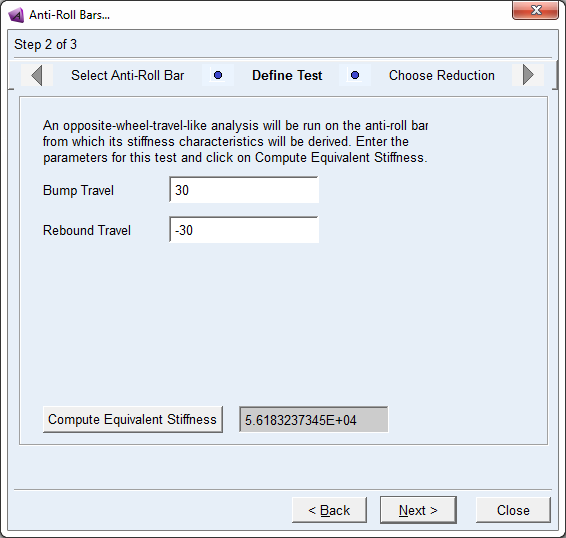
At Define Test page, you need to enter the Bump and Rebound travel values used to perform a wheel-travel-like analysis (only applied to one side of the Anti-Roll Bar).
You need click on 'Compute Equivalent Stiffness' and proceed. This will start an iteration process performing wheel-travel-like simulations to calculate the equivalent linear torsional stiffness for the Simple method. Once this process is finished, the resulting equivalent stiffness is shown in the gray field.
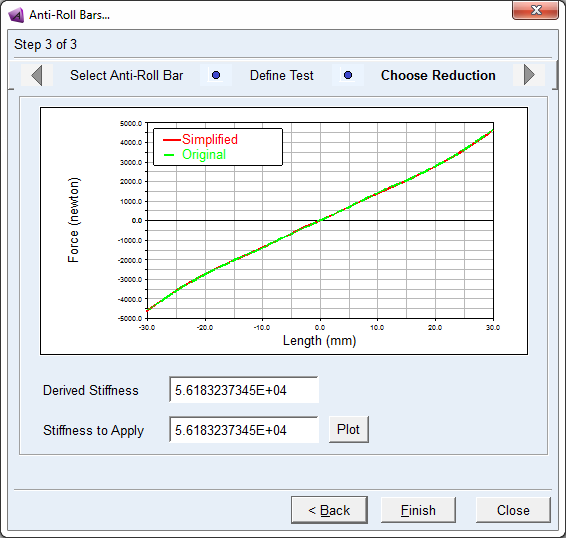
The Choose Reduction page shows the characteristics of the original Anti-Roll Bar versus the Simple Anti-Roll Bar using the computed Equivalent Stiffness ('Derived Stiffness'). Change field 'Stiffness to Apply' if you want to use a different stiffness for the linear torsional spring in the Simple Anti-Roll Bar. Click Plot to compute and visualize the force-deflection characteristics using this modified stiffness value.
Click Finish to replace the original Anti-Roll Bar component in your assembly by the Simple Anti-Roll Bar using the rotational stiffness value in the 'Stiffness to Apply' field. Click Close if you want to close the wizard without replacing the Anti-Roll Bar in your assembly.