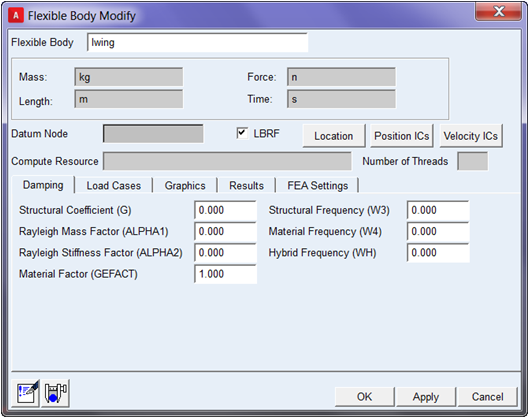
Accessing the Flexible Body Dialog Box
Once the nonlinear flexible body has been created, it can be modified within the Adams View environment prior to submitting the analysis to Adams Solver. The modification dialog is launched in the same way as for linear flexible bodies: right-click on the flexible body from the graphics window or model browser and select "Modify."
From within Adams Car, a subset of the parameters, including the BDF itself, are available in the initial dialog. Click on the detailed modification button at the bottom of that dialog to access the same modification dialog used in Adams View:

A number of attributes regarding the nonlinear flexible body can be modified via the dialog. Below is a brief discussion of some important items. Full details can be found in the Create a Flexible Body dialog box help accessible by pressing the F1 key from anywhere within the dialog.