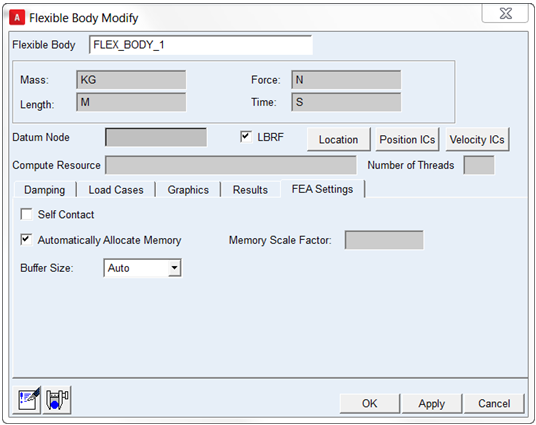
FEA Settings
This tab allows one to edit some other properties specific to solving the nonlinear flexible body. If the BDF which was imported originally is set-up to check for, and represent, self-contact, then this can be enabled here. Be advised that, especially for quasi-static analysis, enabling self-contact may require that the Adams step size (analysis output step size or Adams Solver hmax setting) be reduced so as not to "miss" the onset of contact and cause simulation convergence problems. For more detail on what is required in the BDF to model self-contact, see the dialog box help accessible by pressing the F1 key from anywhere within the dialog.
This dialog also allows the user to override Adams default behavior with regard to assigning memory (open core memory) and buffer size (I/O pipe size). For details on how Adams sets these items by default and why a user might want to deviate from this, see the dialog box help accessible by pressing the F1 key from anywhere within the dialog.