Color Picker
Settings → Colors → Color Picker
Lets you select a basic color or create a custom color to be used for displaying objects and the background of the Main window and any View windows that you create.
For the option: | Do the following: |
|---|---|
Basic Colors | Select a color from the 48 basic colors available. Tip: You can define a custom color by clicking the closest basic color, modifying it, and then selecting Add to Custom Colors. |
Custom Colors | Select an empty box to create a custom color or select a custom color you've already defined so you can modify it. |
Color Matrix 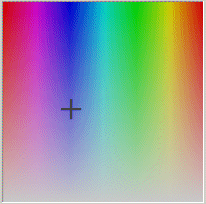 | Click anywhere to select a custom color. Use the pointer to change the hue and Saturation. Change hue by moving the pointer horizontally; change saturation by moving the pointer vertically. |
Luminosity Slider | Drag the slider to change the luminosity or relative lightness or darkness of a color. Changes the value in the Value text box. |
Hue | Specify the hue of a color. The values range from 0 to 239. |
Saturation | Specify the saturation of a color. |
Value | Specify the luminosity of a color. |
Red | Specify the amount of red in a color. You can use any combination of red, green, or blue to define a color. |
Green | Specify the amount of green in a color. You can use any combination of red, green, or blue to define a color. |
Blue | Specify the amount of blue in a color. You can use any combination of red, green, or blue to define a color. |
Add to Custom Colors | Select to add the color currently displayed in the color matrix to the palette of custom colors. |