Edit Color
Settings → Colors
Allows you to modify the colors used for displaying objects or create a new color.
For the option: | Do the following: |
|---|---|
Color | Select a predefined color. |
New Color | Displays the Create New Color dialog box so you can define a new color name in the Modeling database. |
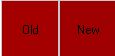 | Displays the old or default color on the left side. Displays the new color on the right side and changes shades as you move the sliders below. |
Red | Use the slider to determine the amount of red to be used in the new color. |
Green | Use the slider to determine the amount of green to be used in the new color. |
Blue | Use the slider to determine the amount of blue to be used in the new color. |