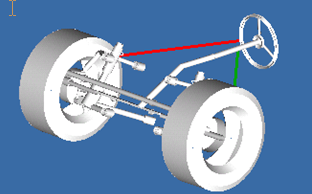
default lights
This command sets the default settings for the lighting.
You can enhance the quality and realism of your animations by using focused lighting that comes from different directions, and define the angle of that lighting (how far it is from the centerline). You can think of this as if you were swinging a light boom across your model.
Format:
Default lights | |
|---|---|
Light = | top_left, top, top_right, left, center, right, bottom_left, bottom, bottom_right |
Enable_light = | boolean |
Example:
Default lights & | |
|---|---|
Light = | top_right & |
Enable_light = | yes |
Description:
Parameter | Value Type | Description |
|---|---|---|
Light | top_left, top, top_right, left, center, right, bottom_left, bottom, bottom_right | Defines the angle of the lighting. |
Enable_light | Yes/No | Turns the light on or off |
Extended Definition:
1. Following are the various angles that can be used to define the lighting:
Figure 1 A. “Top_left” sets the light from upper left corner top as illustrated in the example below.
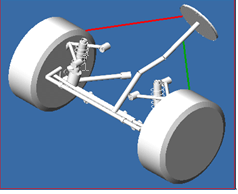
Figure 2 B. Top sets the light from the top as illustrated in the example below.
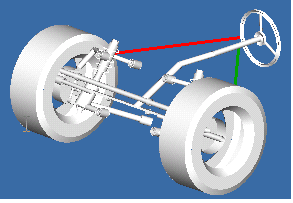
Figure 3 C. “Top_right” sets the light from the top right as illustrated in the example below
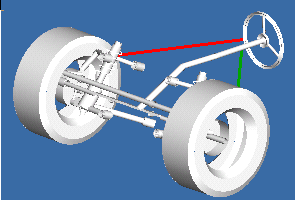
Figure 4 D. “left” sets the light from the left as illustrated in the example below.
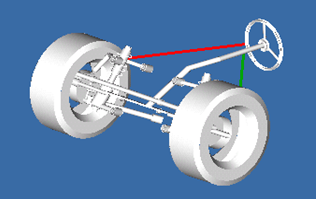
Figure 5 E. “Right” sets the light from the right as illustrated in the example below.
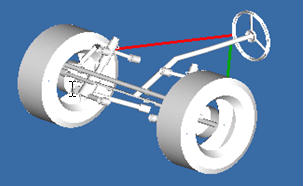
Figure 6 F. “BOTTOM_LEFT” sets the light from the bottom left as illustrated in the example below.
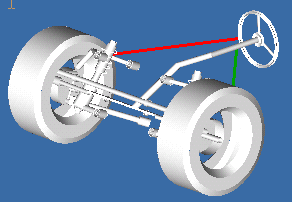
Figure 7 F. “BOTTOM” sets the light from the bottom as illustrated in the example below.
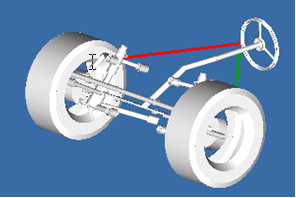
Figure 8 G. “BOTTOM_RIGHT” sets the light from the bottom right as illustrated in the example below.