Example - Building Functions for Motions
This example demonstrates how you can restrict the angle of movement of a link using the Simple Harmonic (SHF) function.
To build a function for motion:
1. Create a link and place a revolute joint and a rotational joint motion at one end of the link.
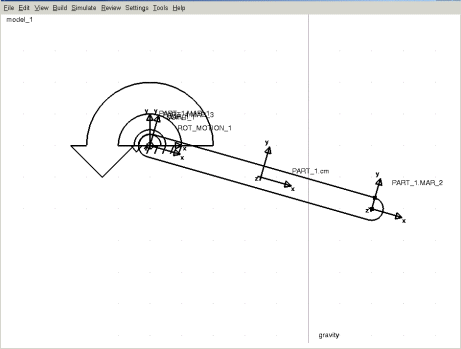
2. Right-click the motion screen icon, and then select Modify.
The Impose Joint Motion dialog box appears.
3. Clear the F(time) text box.
4. Right-click the F(time) text box, and then select Function Builder.
5. From the Math Functions category, select Simple Harmonic.
6. Select Assist.
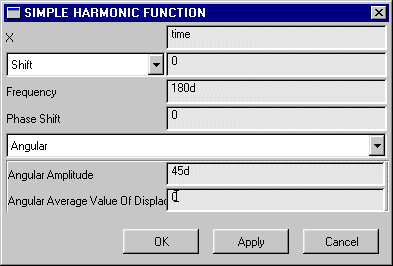
7. The Simple Harmonic Function dialog box appears. Fill in the dialog box as shown next:
8. Select OK in the following dialog boxes, in the order listed:
a. The Simple Harmonic Function dialog box.
The function you just defined appears in the function work area of the Function Builder.
b. The Function Builder.
The function appears in the F(time) text box.
c. The Impose Joint Motion dialog box.
The motion now uses the function you built.
Note: | Adams View cannot plot the Simple Harmonic function in the Function Builder, because it can't interpret it as a design-time function. |