Load Model
There are four suspension and two full-vehicle assembly configurations which can be loaded.
To open the assembly:
1. From the File menu, point to Open, and then select Assembly.
2. Right-click the Assembly Name text box, point to Search, and then select <atruck_shared>/assemblies.tbl.
To create your own assembly
1. From the File menu, point to New.
2. Select Subsystem/Suspension_Assembly/Full_Vehicle_Assembly/Generic_Assembly from the menu.
The following table will familiarize you with the existing assemblies in the database:
msc_susp_front_leafs.asy Consists: Steering, suspension and beam-leafspring subsystems Testrig - MDI_SUSPENSION | 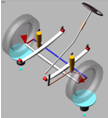 |
msc_susp_front_3links.asy Consists: Steering, suspension and 3link-leafspring subsystems Testrig - MDI_SUSPENSION | 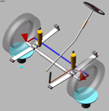 |
msc_susp_driven_axle.asy Consists: Front drive axle of tractor assembly Testrig: MDI_SUSPENSION | 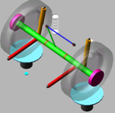 |
msc_susp_trailer_axle.asy Consists: Front axle of trailer assembly Testrig: MDI_SUSPENSION | 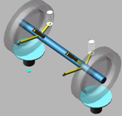 |
msc_susp_bus_front.asy Consists: Double wishbone suspension with antiroll bar, steer wheels and steering system Testrig: MDI_SUSPESNION | 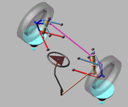 |
msc_tractor_unit.asy Consists: Front steer suspension, pair of drive axles, wheels, cab, powertrain and brake sub-assemblies Testrig: MDI_SDI_TESTRIG | 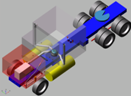 |
msc_tractor_semitrailer.asy Consists: Front steer suspension, pair of drive & trailer axles, wheels, cab, powertrain, and brake sub-assemblies Testrig: MDI_SDI_TESTRIG | 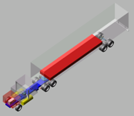 |
msc_bus_rigid.asy Consists: double wishbone suspension, rear drive axles, wheels, rigid chassis, powertrain and brake sub-assemblies Testrig: MDI_SDI_TESTRIG | 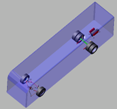 |