Running an Analysis
Here you will run an analysis on the crankshaft model. Note that in this tutorial, the shaft and arm (biele) are defined as flexible bodies, and the piston as a rigid body.
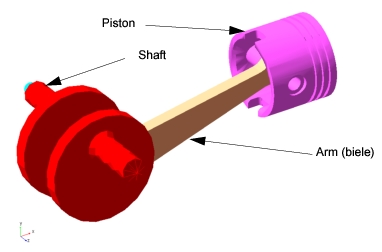
To run an analysis:
1. Select the Simulation tool  .
.
. 2. Set up a simulation with an end time of 0.1 second and a step size of 0.001.
3. Select the Simulation Start tool  .
.
. The model simulates, and then remains in simulate mode.
4. To return to the initial model configuration, select the Reset tool  .
.
.