What You’ll Create
In the tutorial, you’ll import into Adams View a command file that contains a rigid model of a fourbar. You’ll then replace one of the rigid links with a flexible link.
Until you replace the rigid link with a flexible link, Adams Solver cannot simulate the motion of the fourbar because one of its joints (JOINT_3) is skewed by 1 degree. The skewing of the joint requires the motion of the fourbar to be out-of-plane. Because the links are rigid, however, they cannot deflect out-of-plane and, thus, the simulation fails. Adding a flexible link that bends allows the fourbar to move.
The following figure shows the fourbar model, the joint that is skewed, and the rigid link that you’ll replace with a flexible link. The flexible link that you’ll use to replace the rigid link is actually the same flexible link you used in the first tutorial to create a cantilever link.
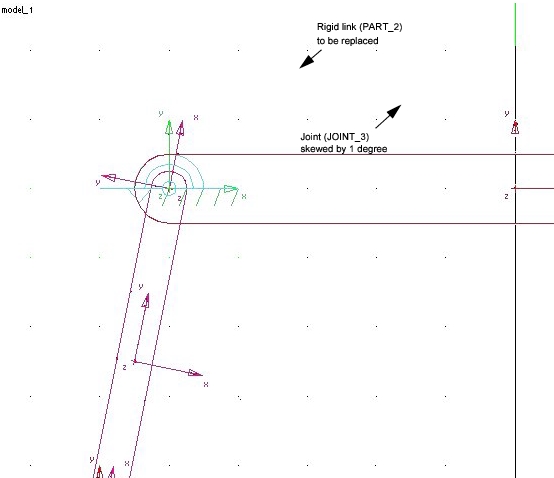
Figure 1 Fourbar Model