Adding Motion/Friction
Add a motion to the driver's revolute joint as follows:
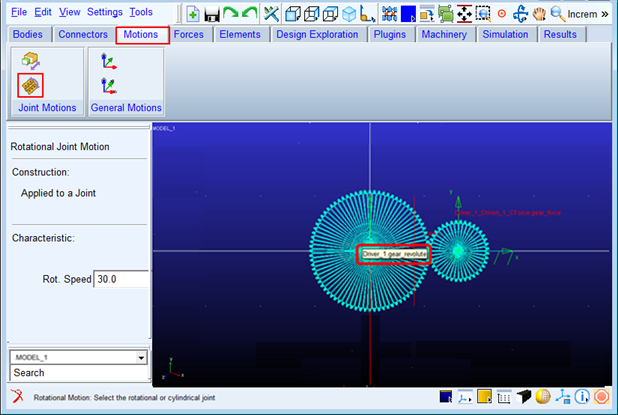
1. Select the Motions tab from the Ribbon and from the Joint Motions container click on the icon for Rotational Joint Motion.
2. Then from the graphics window click the revolute joint for the Driver gear (Driver_1.gear_revolute).
Add friction to the revolute joint for the Driven gear as follows:
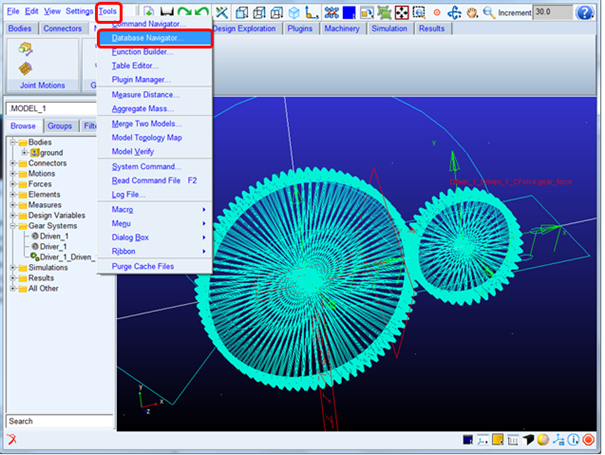
1. From the main menu click Tools and select Database Navigator.
2. From the database navigator select "Constraint" for the Filter option and select "gear_revolute" joint and click OK.
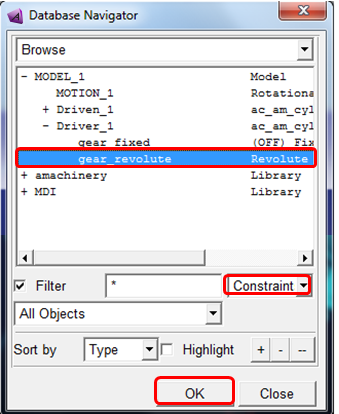
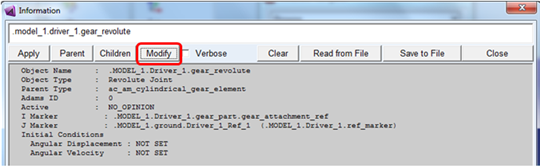
3. Click Modify from the information window as shown below:
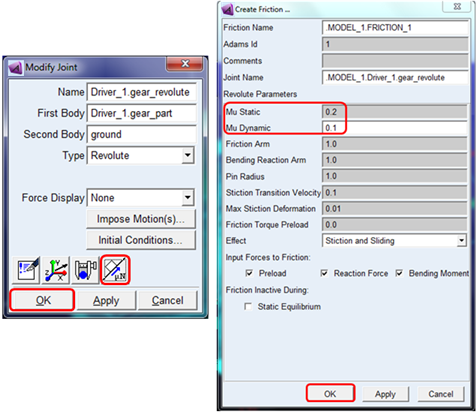
4. From the Create Friction dialog box, set "Mu Static" = "0.2" and "Mu Dynamic" = "0.1", accept the remaining defaults by clicking OK here and then complete by clicking OK from the Modify Joint dialog box.