Simulation
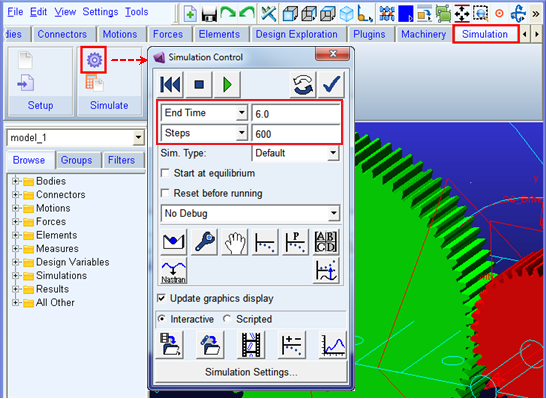
1. Simulate your model for 6 seconds at 600 steps by clicking the Interactive Simulation icon from the Simulate container on the Simulation tab, entering the values shown below and clicking the Start Simulation button (A message window will appear once you click the start button. Please click close.)