Simulation
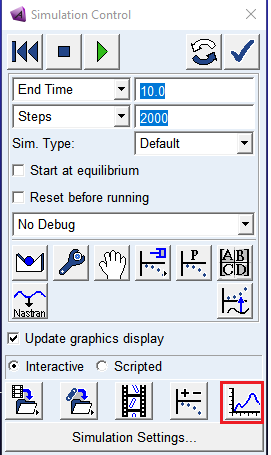
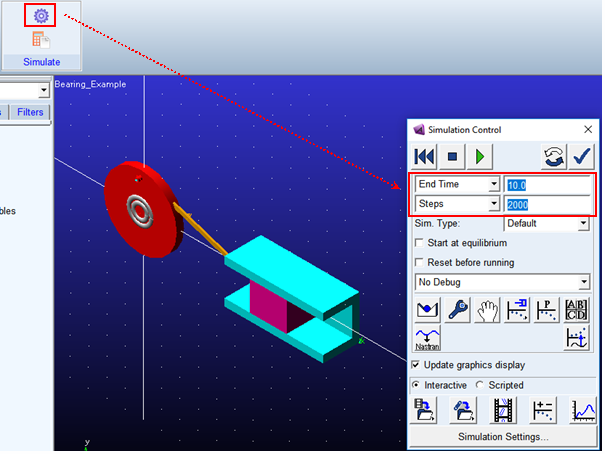
Simulate your model for 10 seconds at 2000 steps by clicking the Interactive Simulation icon from the Simulate container on the Simulation tab, entering the values shown below and clicking the Start Simulation button.
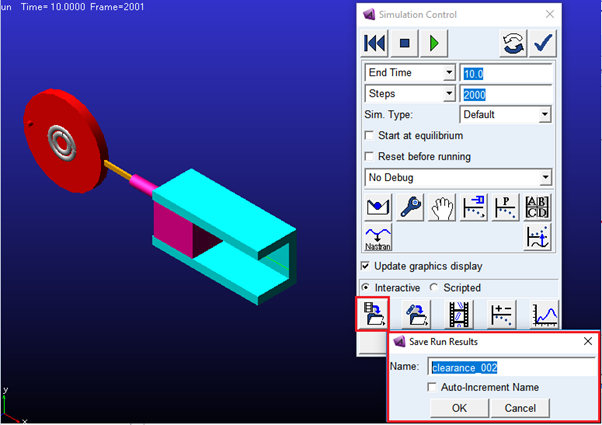
1. Once the simulation completes, save the simulation results as clearance_002 as shown below
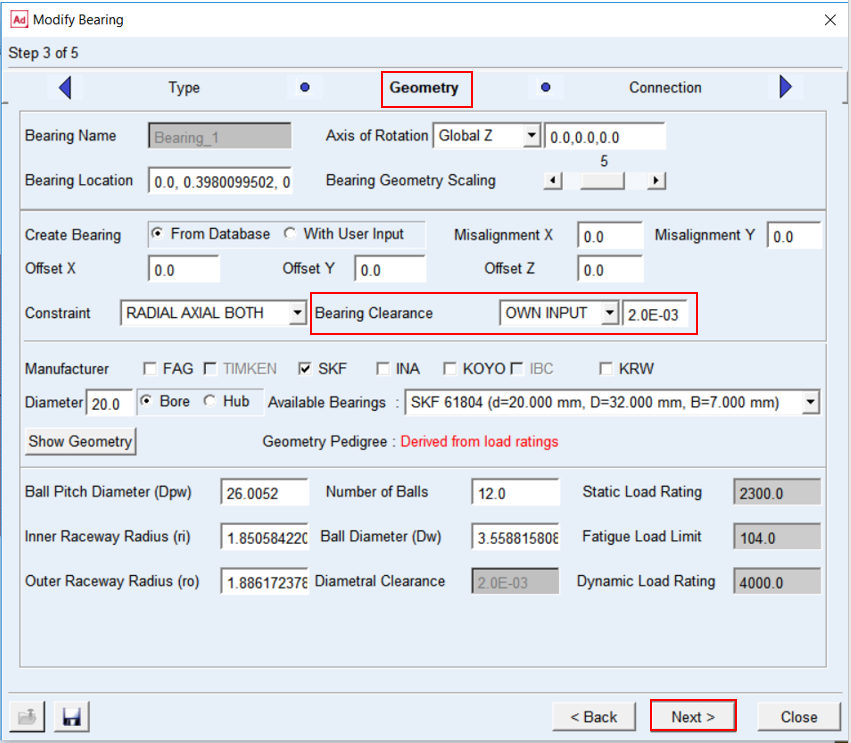
2. Modify the Bearing clearance (operating condition) value as follows:
a. From the graphics window right-click the Bearing ("Bearing_1") and select Modify.
b. Accept the default options and values for Method and Type Page.
c. In the Geometry-bearing page, modify the bearing clearance value from 0.002 to 0.0025 as shown below.
d. Accept the default options in the next (Connection-bearing) page.
e. In the next page (Completion-bearing) click Finish to complete the bearing modification.
3. Now simulate your model for 10 seconds at 2000 steps by clicking the Interactive Simulation icon from the Simulate container on the Simulation tab, entering the values shown below and clicking the Start Simulation button.
4. Save the run results as clearance_0025
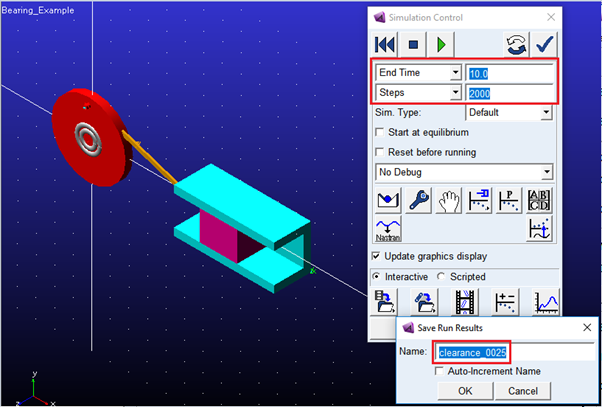
5. Switch to PostProcessor by clicking plotting icon from the Simulation Control.