Adams PostProcessor Results
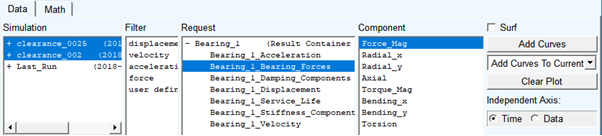
1. Explore the standard bearing request results in Adams PostProcessor.
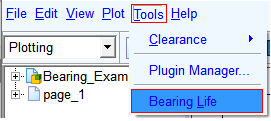
2. From Tools menu select 'Bearing Life':
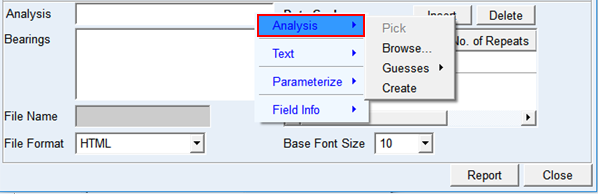
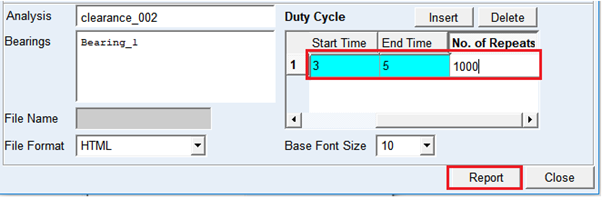
3. Select 'clearance_002' analysis by right clicking on 'Analysis' field in the Bearing Service Life dialog box.
4. Right click on Bearings field and select Bearing_1 from available guesses.
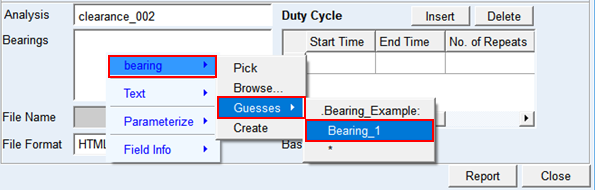
5. Fill the duty cycle table for 1000 repeats of simulation cycle from 2 sec to 4 sec as shown below and click Report:
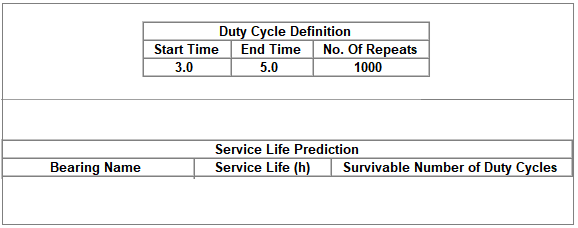
6. Check the service life prediction shown in the dialog box. Sample format shown below:
7. Repeat the procedure for simulation run 'clearance_0025' to check impact of bearing clearance.
8. Check the impact of bearing loading by selecting different simulation sample time (start - end time) for example, 6sec-8sec and compare the service life results.