Perform an Analysis
1. Perform a time domain analysis, by selecting Simulation tab on Ribbon and click on Gear icon 
2. Fill out the dialog as shown:
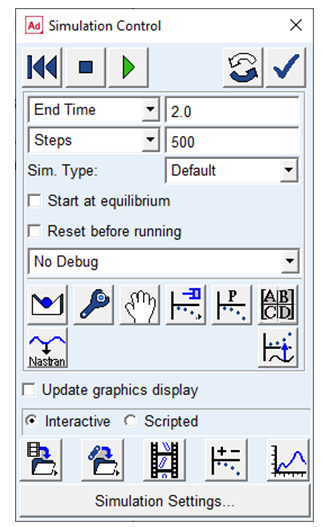
Note: | Turning off the Update graphics display will complete the simulation faster. |
3. Click on Start Simulation button  to start simulation. Wait till it completes (~1-2 minutes).
to start simulation. Wait till it completes (~1-2 minutes). 4. To visually inspect the simulation, click on the Animation Control button  . Click Animation: Forward
  to view animation.
. Click Animation: Forward to view animation.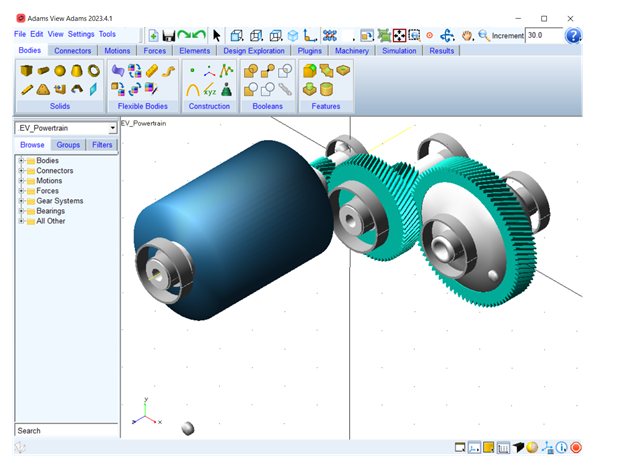
5. The plots can be created by going to post processor using Launch Adams PostProcessor button  .
.
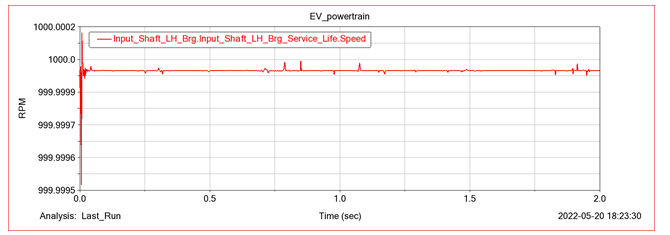
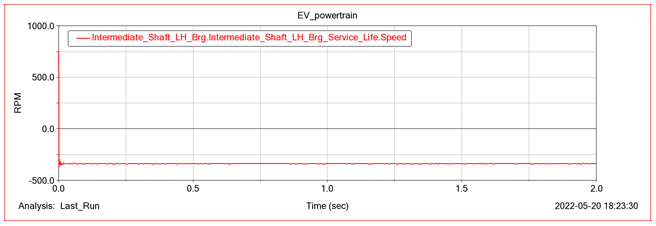
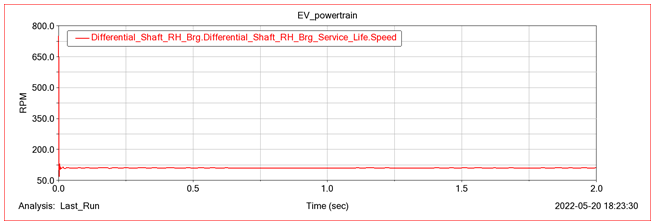
.Theory: The gear ratio for the first stage i.e., between Input Pinion and Input Wheel is 22/65 = 0.338. So, if the input shaft is rotating at 1000 RPM then the intermediate shaft should rotate at 338 rpm in the negative direction. Similarly, the gear ratio for second stage is 27/83 = 0.325. So, if the intermediate shaft is rotating at 338 RPM then the differential shaft should rotate at ~110 rpm.
To validate this create the following plots:
Input Shaft Speed:
Intermediate Shaft Speed:
Differential Shaft Speed:
Note: | ■A Romax model can be imported as a separate model (as shown in above example) or can be imported into an existing model. ■You can optionally specify a location and orientation to offset the Romax model from that of design position. If you are importing into an existing Adams model, you can specify the offset relative to some other marker in the existing model via the “relative to” field. ■It won’t be prudent to assume that translated model is immediately simulate-able as-is. Because an Adams simulation involves transient dynamics one should consider the following: ■Romax models typically have many dummy parts and those get translated to Adams during import. Sometimes, Adams Solver performs better without dummy parts; so, consider re-factoring the model without them ■Review contact parameters for 3D contacts ■Apply actuation (often motions and torques) gradually instead of discontinuous actuation ■The Romax to Adams import is currently available only to Adams users on the supported Windows operating systems. Linux users of Adams will need to have the translation performed on a Widows system, then the model can be exported as an Adams View command file (.cmd) which is portable to supported Linux versions of Adams View. |