Workflow for Time Domain Analysis with Flexible Bodies
■Prior to R2A file export from Romax, it is recommended to make the following modifications in all bearings in the model. This is primarily required due to the difference in node generation between Romax and Adams.
■For each bearing, open the bearing details window and go to the inner mounting tab.
■If possible, select Inner ring flexibility to Not included because 1D and 3D bearings are not supported.
■Select Axial Connection Position…
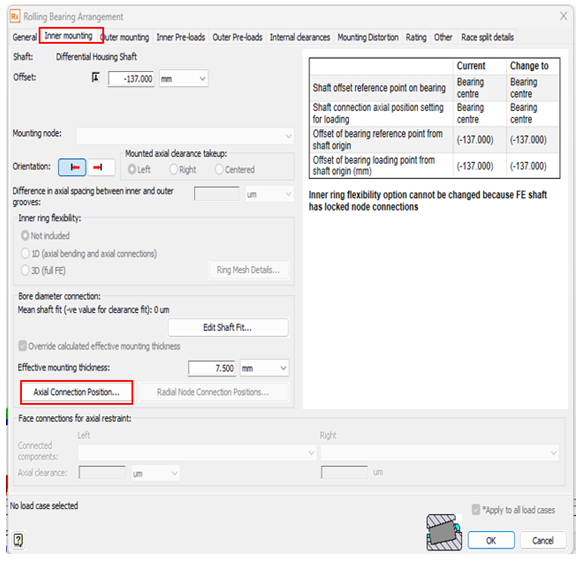
■Change the Connection position on inner ring to Bearing Center and press OK.
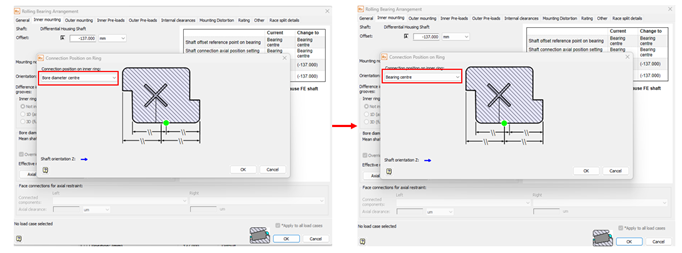
■Repeat above steps for Outer Mounting. Press OK to exit the Details window.
■To export an R2A file, select "Assembly” in the Romax model tree and then go to File -> Import/Export -> Export Adams R2A file.