Creating Nonlinear Flexible Body within Adams Car
1. Place the contents of <top_dir>\acar\examples\maxflex\twistbeam.cdb" to a directory on your computer. For example, Windows examples files placed in the below location:
C:\Program Files\MSC.Software\Adams\2024_1\acar\examples\maxflex\twistbeam.cdb.
2. You should now have an Adams Car database folder structure that starts at the top with a folder named “twistbeam.cdb”.
3. Start Adams Car.
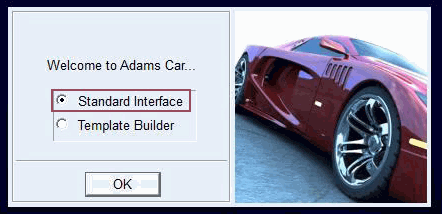
4. From the welcome screen click “Standard Interface”.
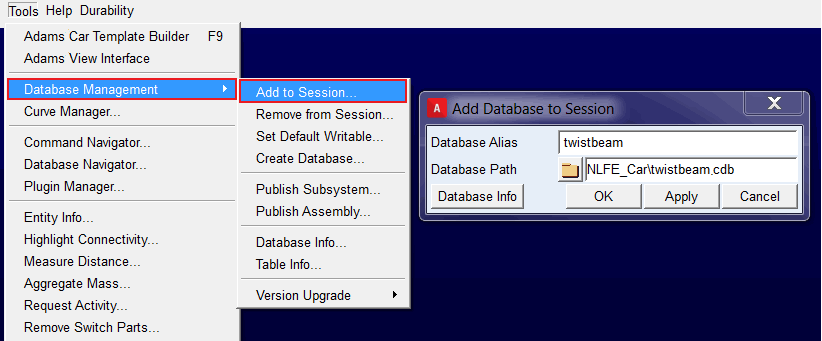
5. Add the Adams Car database you extracted in step 1 to the session via Tools → Database Management → Add to Session. For “Database Path” browse for the directory you extracted in step 1. Click OK.
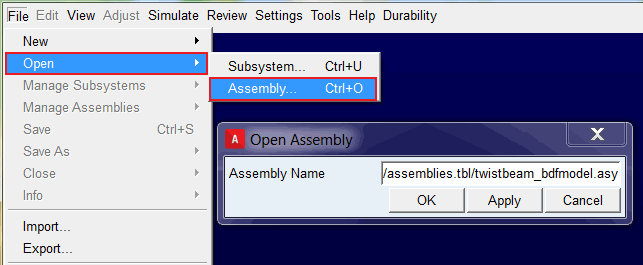
6. From the twistbeam.cdb you added to the session in the previous step, open the assembly “twistbeam_bdfmodel.asy”.
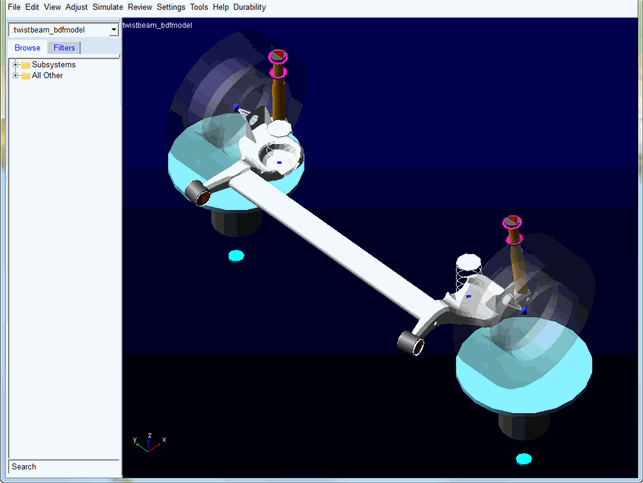
7. You should now have a half-suspension model containing a nonlinear flexible body representation of a twist beam.
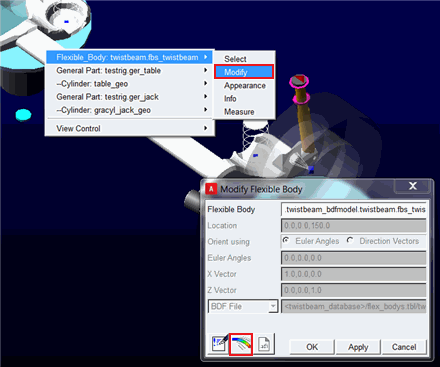
8. Launch the detailed flexible body modify dialog by right-clicking the flexible body twist beam, selecting modify and clicking the detailed modify button:
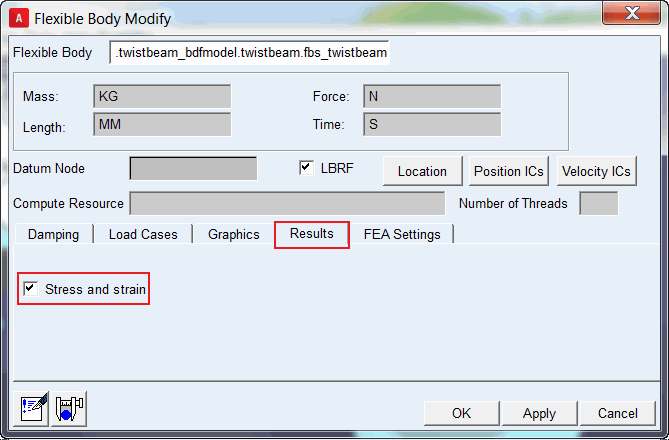
9. From the Results tab check the boxes for Stress and Strain. This will enable Von Mises stress and strain recovery on this flexible body in Adams PostProcessor.
10. (Optionally, if you want to solve this compute-intensive nonlinear flexible body on a remote machine, see the remote solving description in the Remarks section at the end of this example document)
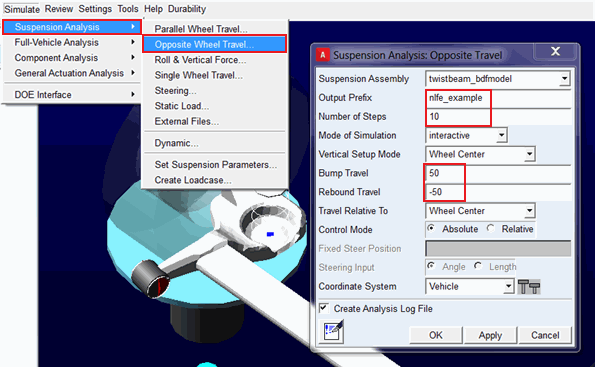
11. Launch an opposite wheel travel analysis with the inputs shown below.
Note: | The analysis will take about 1 hour to complete. |