Adams PostProcessor Results
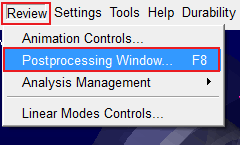
Once the simulation completes, launch Adams PostProcessor to explore the results:
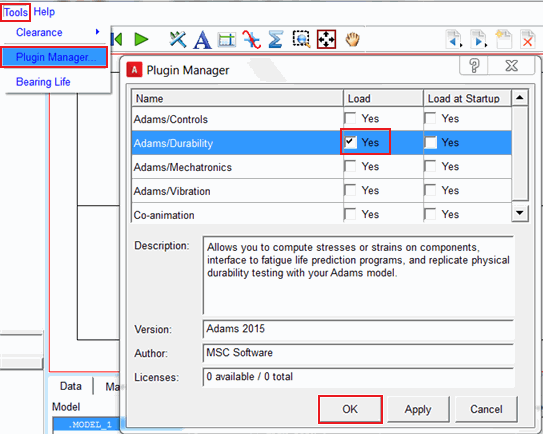
1. If it is not loaded already, load the Adams Durability plugin. It is required for contour plotting of stress and strain on the flexible body. From the Tools menu in Adams PostProcessor, load the Adams Durability plugin and click OK:
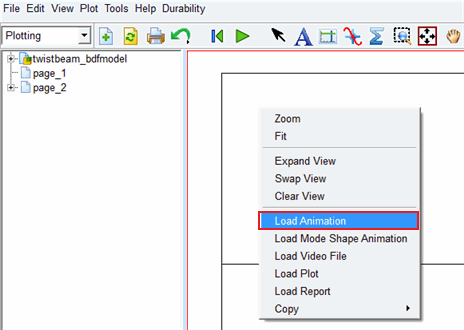
2. Load the animation (right-click, Load Animation)
3. From the Contour Plots tab in the animation dashboard select Von Mises stress:
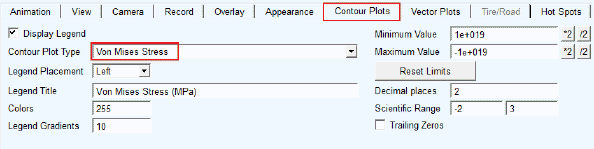
Note: | Adams nonlinear flexible bodes only support the recovery of VonMises stress and strain results within Adams PostProcessor. Other stress and strain channels are not supported within Adams, but they can be recovered in an FEA post-processor like Patran or SimXpert using the FEA output files (.op2, .f04) written to the working directory. |
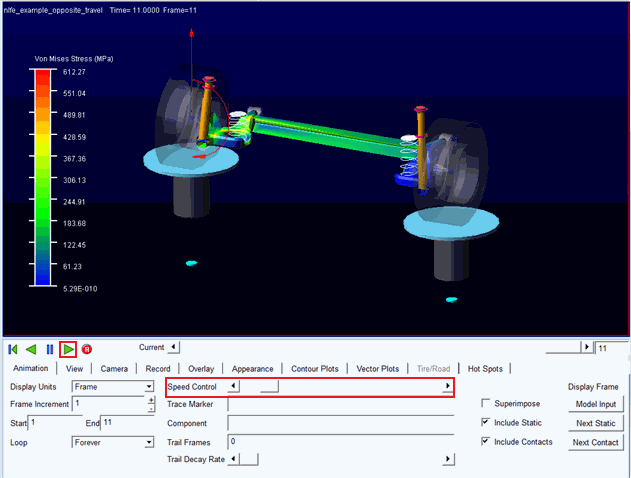
4. Run the animation. Since there are so few steps you may want to slow down the animation via the Speed Control slider bar:
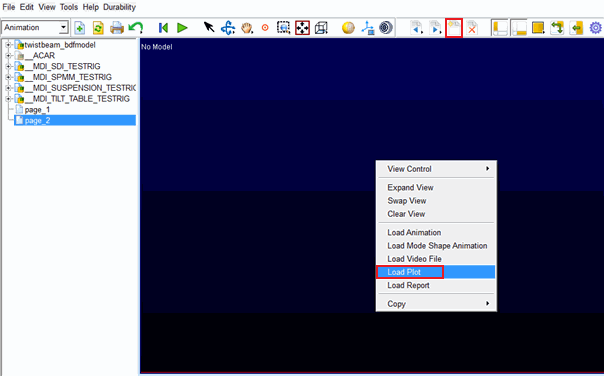
5. Create a new page, right-click and select Load Plot
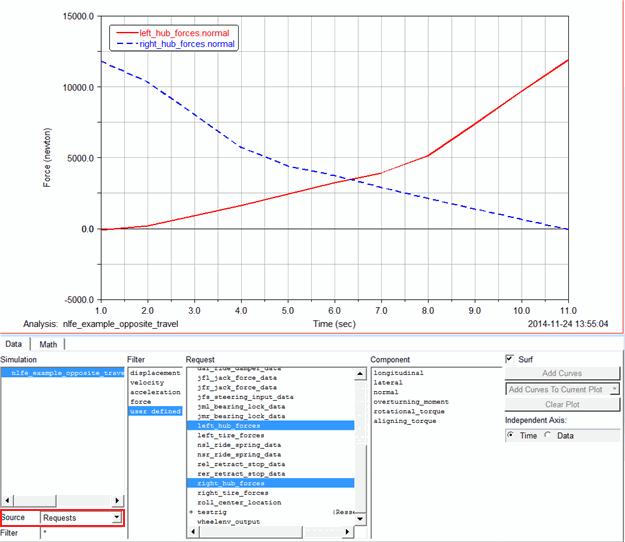
6. Plot the loads at the connection points between the twist beam and the rest of the suspension (an example shown below):