Running with SIMulation Workbench (with hardware)
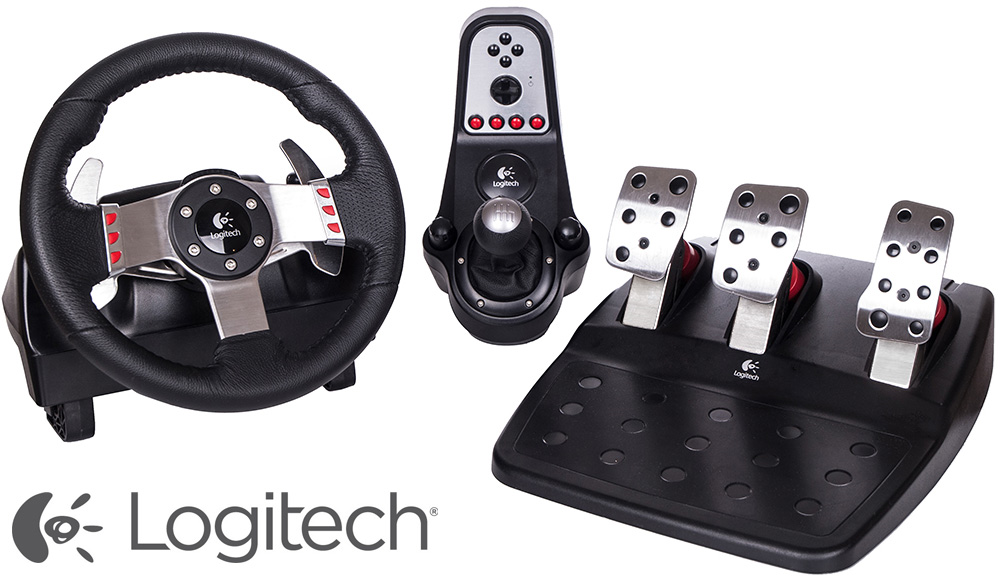
This section will guide you through the steps of connecting a Logitech G27 device. Note that newer racing model hardware exists from Logitech and you can no longer purchase this device directly from Logitech. However, the newer models are not yet supported by Concurrent. You may need to purchase this device from a 3rd party supplier.
Note: | Before proceeding you will need to redo step 5 and step 6 in the previous section with one change. You will need to specify the other Driver event file that is included in this example, "sim_throttle_brake_steerangG27.xml". Compared to the other event file this one multiplies the braking and throttle inputs by 100. This is because the brake and throttle pedals on the G27 require this scaled range for control. |
1. Install and Plugin Logitech G27 hardware to the RedHawk system. Once successfully installed, SimWB will automatically detect this device and add it to the list of available hardware devices.
2. Perform the I/O Device Mapping for steering wheel, brake pedal and accelerator pedal…
Select RTDB & I/O > I/O Devices menu. Select LogiWheel-G2X from the list of Available Devices. Click on  to include LogiWheel-G2X on the list of Configured Devices with 1024 channels.
to include LogiWheel-G2X on the list of Configured Devices with 1024 channels.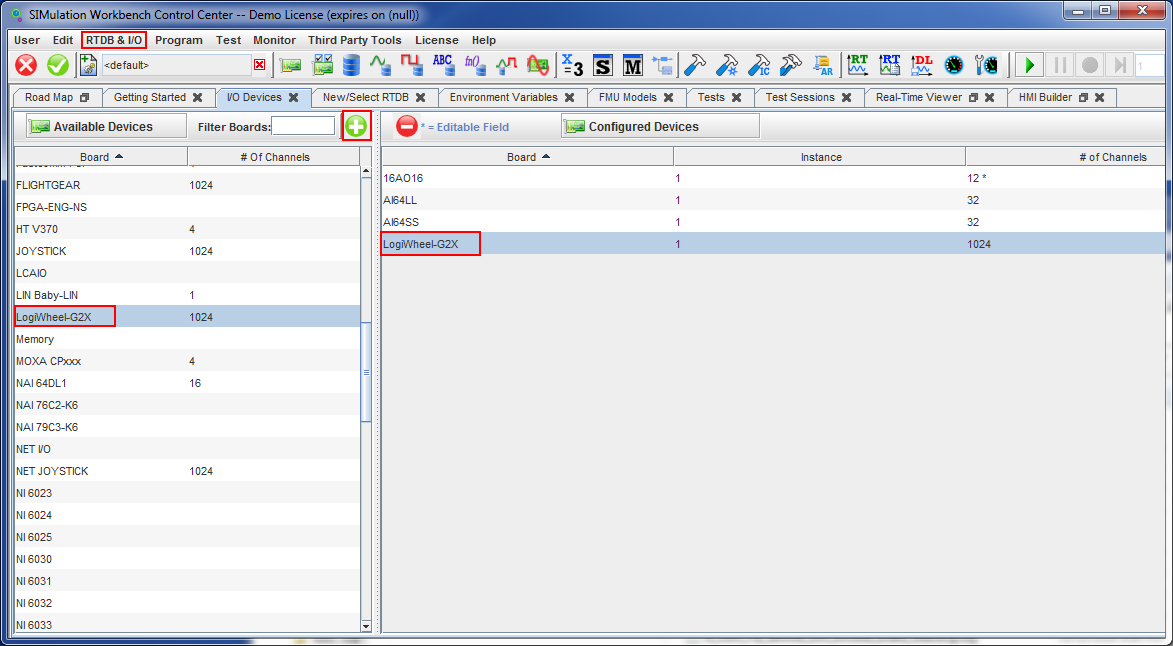
Select RTDB & I/O → I/O Mappings and select the LogiWheel-G2X-1 tab. Select Steering wheel under the Control column, and the list of Inputs in the RTDB will appear under Mappings. Select Controls_IO_steering to map this input to control the Steering wheel.
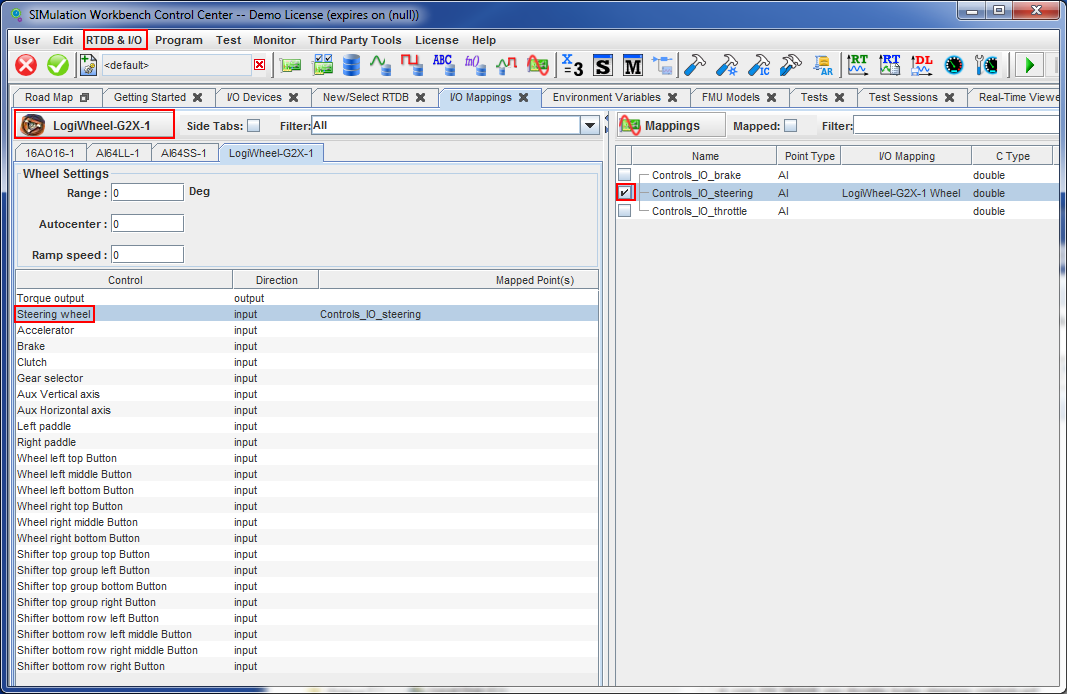
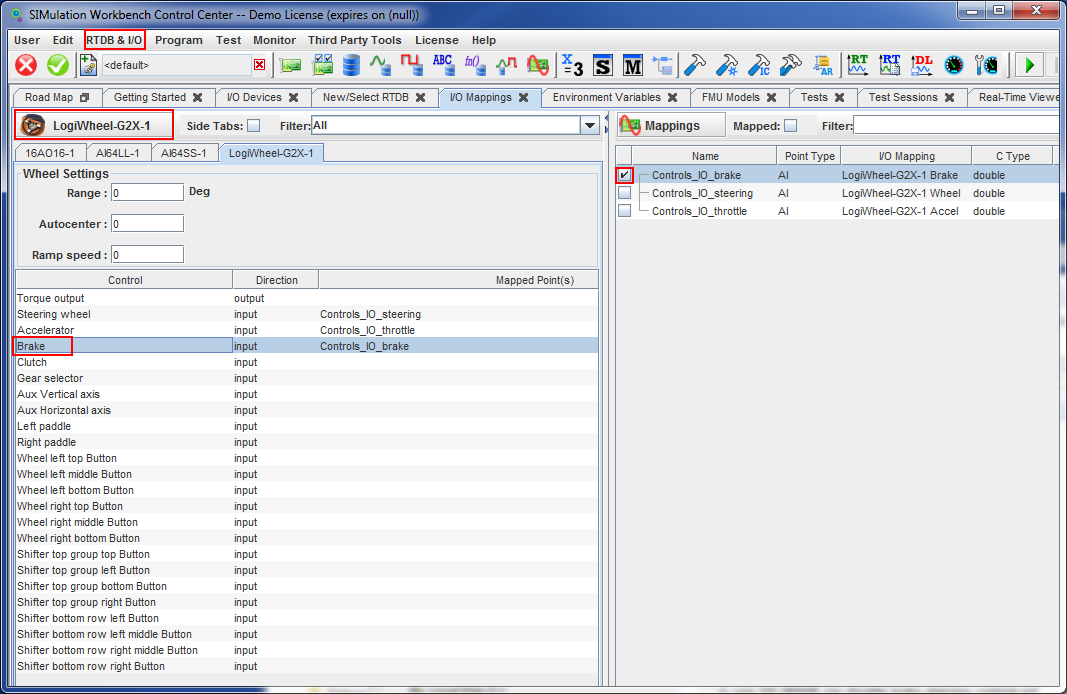
Repeat these steps for the Accelerator control mapped to the Controls_IO_throttle input, and the Brake control mapped to Controls_IO_brake (only Brake is shown below, don't forget to map the accelerator). Save this configuration mappings by clicking on  .
.
. 
3. Start the simulation as before by clicking on  . The first time clicking on this button the G27 hardware device will spend a couple of seconds to calibrate the steering wheel. This may cause the simulation to stop, and you will need to restart the simulation. Then you will be able to steer, brake and accelerate the car using the hardware.
. The first time clicking on this button the G27 hardware device will spend a couple of seconds to calibrate the steering wheel. This may cause the simulation to stop, and you will need to restart the simulation. Then you will be able to steer, brake and accelerate the car using the hardware.