Real Time Animation settings
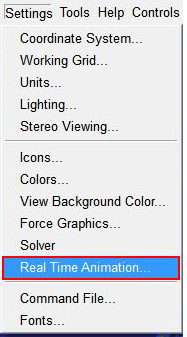
Before generating the model simulation files and the FMU, the Real Time Animation should be switched 'On'. After starting Adams Car and loading your assembly, click on Settings - Real Time Animation:
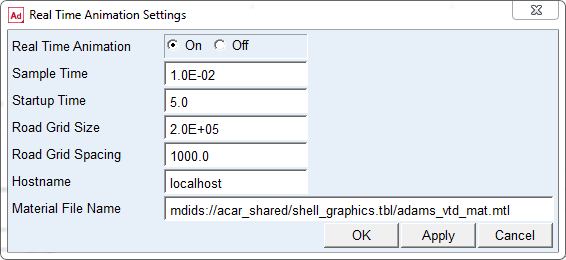
When setting the Real Time Animation to 'On', you can change the settings for the following parameters that will be used in the animation process:
Parameter | Type | Function |
|---|---|---|
Sample Time | Real value | Determines the interface step time, each step the animation frame will be updated. In general, the default value will be adequate. |
Startup Time | Real value | The time that the simulation is waiting for the animation component to start. May need to be increased for slow systems. |
Road Grid Size | Real value | Defines the size of the grid of the flat road. |
Road Grid Spacing | Real value | Defines the spacing in between the lines of the grid of the flat road. |
Hostname | string | Is the hostname of the machine on which the animation should be shown. When set to 'localhost' the animation will be started at the same machine as the simulation. |
Material File Name | string | Wavefront material definition file for defining colors and structures of the materials. |
All the Real Time Animation settings (except the Material File Name) can still be changed when importing the FMU into Adams or the Real Time platform. Also the animation can still be switched off when importing the FMU, see also Default fixed parameters in an Adams FMU.