Adding a Three-Dimensional Contact
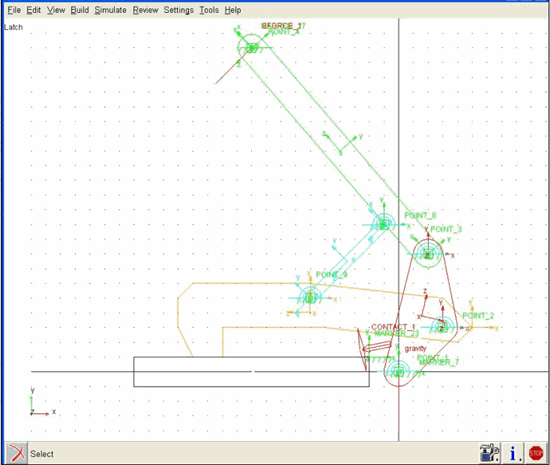
In this section, you add a three-dimensional contact between the hook and ground_block. The three-dimensional contact models how hook and ground_block interact when the latch closes.
To add a three-dimensional contact:
1. Click the Forces tab on the Adams View ribbon.
2. From Special Forces container, click the Contact tool  .
.
. The Create Contact dialog box appears.
3. Right-click the I Solid text box, point to Contact_Solid, and then select Pick. Select the hook (EXTRUSION_7).
4. Now do the same for the J Solid text box, selecting the ground_block (BOX_10).
5. Because you will use the default values for the contact force, select OK.
6. From the main menu, select the Fit tool  .
.
.Adams View fits your entire model into the current window. It should look similar to the one shown below: