Creating a Measure on the Spring Force
Adams View uses measures to monitor important model characteristics during simulation. To give you visual feedback on the progress of the simulation during interactive simulations, Adams View displays the measure values.
For the latch model, you need a measurement of the clamping force when the latch is clamped so you can compare it with the design requirement. The spring force measure represents the clamping force.
To create a measure on the spring force:
1. Right-click the spring, point to Spring: SPRING_1, and then select Measure.
The AssemblyMeasure dialog box appears.
2. Set Characteristic to force.
3. Select OK.
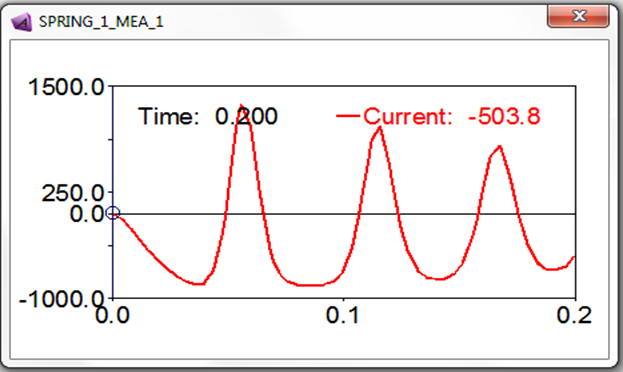
The spring measure strip chart appears.
4. Run a 0.2 second, 50-step simulation.
A graph of the clamping force appears during the simulation, as shown next:
5. Select the Reset tool to return to the initial model configuration.