Creating a Sensor
You now create a sensor to detect when overcenter_angle goes below zero, meaning that the latch has toggled properly. When this condition is met, the sensor automatically stops the simulation.
To create a sensor:
1. Click the Design Exploration tab on the Adams View ribbon.
2. From the Instrumentation container, click Sensor icon.
icon.
icon.The Create Sensor dialog box appears.
3. Modify the Create Sensor dialog box as shown next, and then select OK.
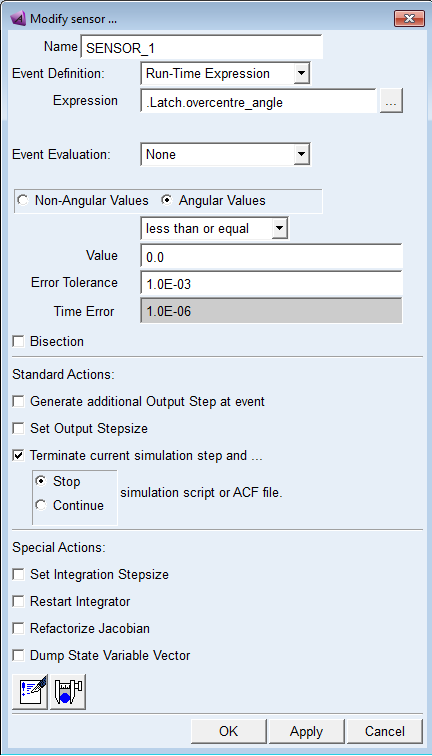
Note: | If you get an error when trying to create the sensor, type in a new name for the sensor, press Enter, and then continue filling in the dialog box as shown above. |