Reviewing Design Variable Values
After you have created all the design variables, you can display their range and allowed values. Adams View sets the design variable range based on the envelope requirements for the latch. It automatically assigns a +/- 10% relative range to the design variables, except when the design variable real value is 0. When the design variable value is 0, the range is set as +/- 1 absolute.
If you want to open up the range to different values, you must modify the range values and possibly the delta type (which you will do in Iterating Your Design). This restricts the layout changes to your model, to keep it within a specified envelope.
To review design variable values:
1. At the bottom of the Table Editor, select the Variables option.
2. Select Filters.
The Variables Table Editor Filters dialog box appears.
3. Select Delta Type.
The delta type lets you know if the range value is absolute or percent relative.
4. Be sure that Range is selected.
5. Select OK.
The Table Editor changes to show you the range of the design variables.
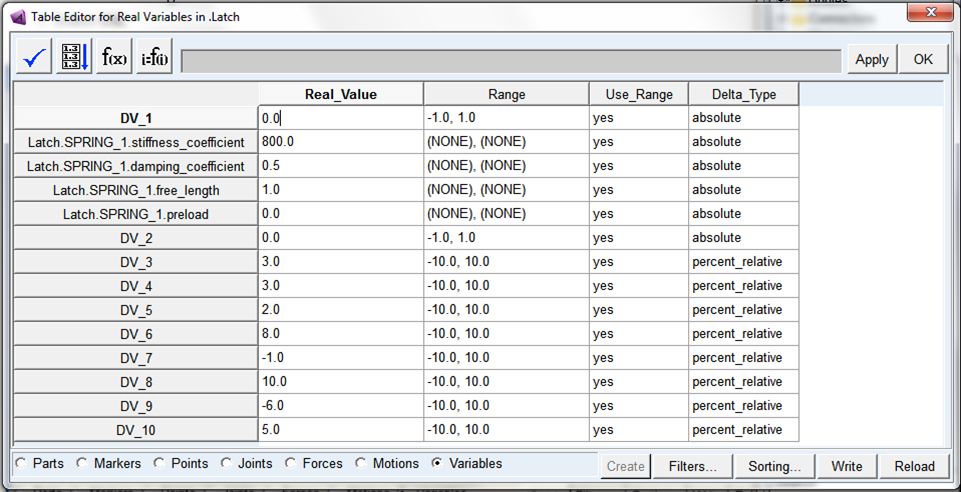
6. Select OK.
7. Save your the modeling database as refine.