Hexagon SmartConnect FMU Standard
What is a SmartConnect FMU?
The SmartConnect FMU is an enhanced Functional Mock-up Unit (FMU) v.2 file that simplifies inspection and editing of the contents of an FMU. This standard extends the FMI (Functional Mock-up Interface) v.2 specification to include model files, a model schematic diagram and extended documentation, as shown below.
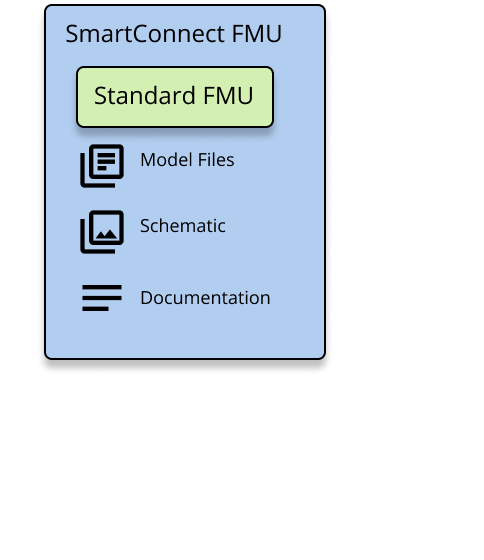
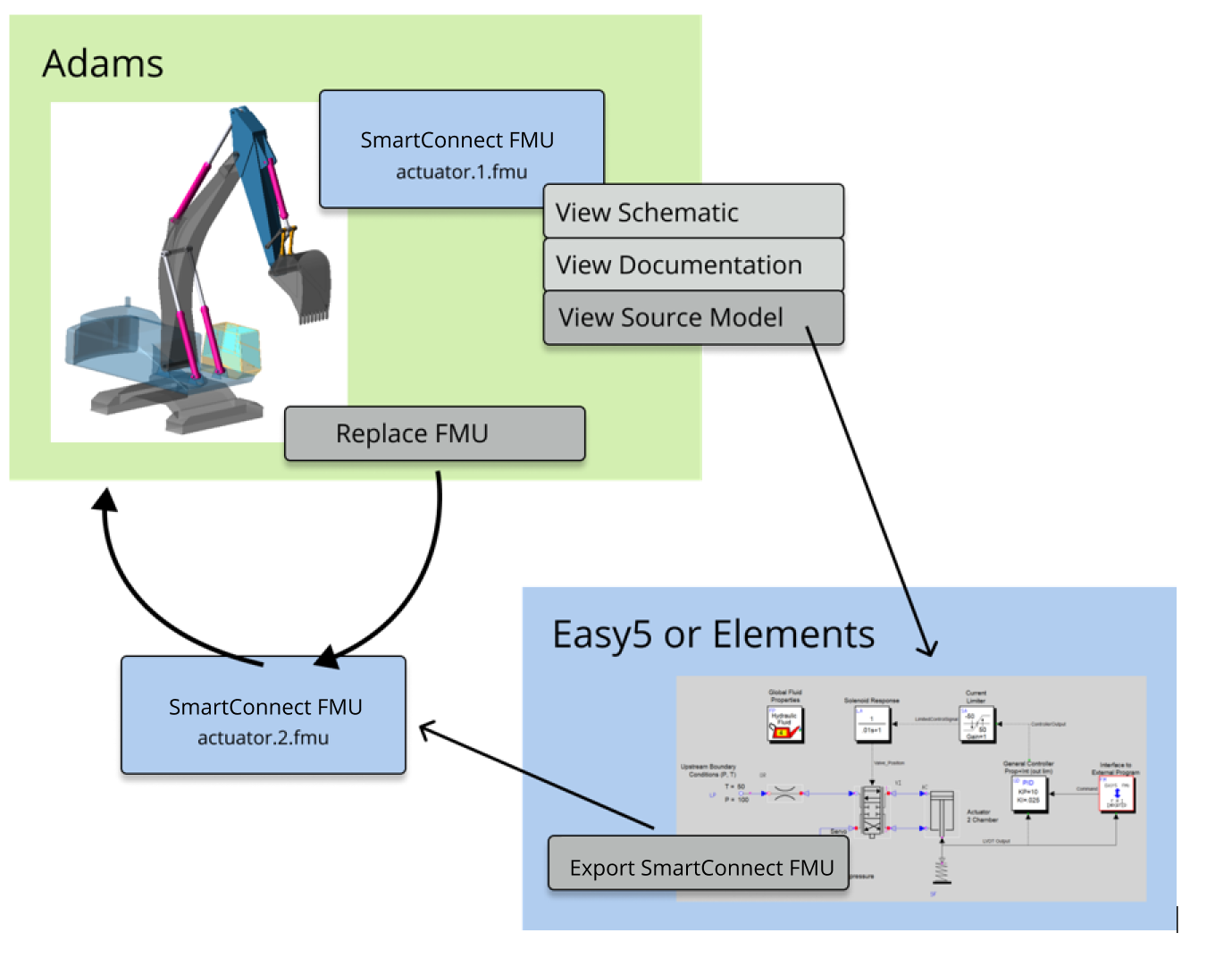
The primary application of a SmartConnect FMU is to facilitate interfaces between Adams, Elements and Easy5. Often, these applications are installed on the same computer and the SmartConnect FMU makes it easy to inspect, modify and update FMUs that are shared between the tools.
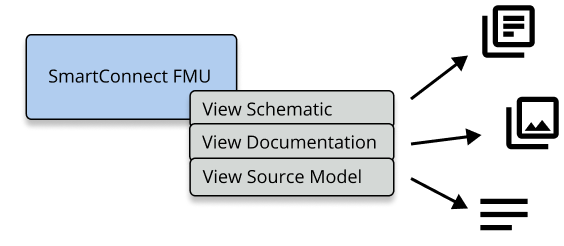
Typically, a FMU is a ‘black box’ that is difficult to inspect & modify. The SmartConnect FMU makes it easy to inspect and modify the contents of the FMU; with respect to the figure above.
1. A SmartConnect FMU lets the user easily View Source Model in the original authoring tool. The fmu model can be modified and a SmartConnect FMU can easily be recreated.
2. The View Schematic operation presents a visual representation of the SmartConnect FMU contents.
3. The View Documentation functionality presents further information about the contents of the SmartConnect FMU, helping the user understand the contents.
A SmartConnect FMU is intended to simplify the tasks of model creation and modification. The SmartConnect FMU makes it easy to view and edit the FMU source directly from within the host tool. Changes to the SmartConnect FMU are easily picked up in the host tool using the ‘Replace’ or ‘Update’ functionality found in each tool. This process is shown below.
Which tools understand SmartConnect FMUs?
Currently the SmartConnect FMU standard is supported by Hexagon tools, including:
■Adams
■Easy5
■Elements
Other software tools that consume FMUs can use a SmartConnect FMU as if it were a standard FMU v.2 object.
Additional files within a SmartConnect FMU
The FMI v.2 standard is extended to include the following:
■Model Files: the original files used to create the SmartConnect FMU. The tool hosting this SmartConnect FMU can launch the creator tool using these model files when the user wants to edit the original SmartConnect FMU model.
■Model Schematic: a visual representation of the original model that was used to create the SmartConnect FMU.
■Model Documentation: detailed documentation of the model, including input & output connections, used to create the SmartConnect FMU.
Note: | The model files are embedded in the FMU and can be easily extracted. As model files may contain proprietary information, users must be careful to not accidentally share proprietary information with others if they do not wish to do so. |
SmartConnect FMU identification and abilities
SmartConnect FMU files are distinguished from standard FMU v.2 files by additional files that exist in the \resources\ folder of the FMU. This extra information is written and inspected by supported Hexagon tools. Specifically, the file named hexagon_fmu.json contains several entries that point to the SmartConnect FMU contents.
SmartConnect FMUs have additional abilities that a standard FMU does not have and are as follows:
1. The ability to locate the ‘creator tool’ that generated the SmartConnect FMU, if this tool is installed on the local machine.
2. The ability to load the ‘fmu source’ model files in the creator tool that generated the fmu. This lets the user easily inspect / edit / recreate the fmu.
3. The ability to display a schematic image, showing the fmu model as it appeared in the creation tool.
4. The ability to display enhanced documentation particular to the model that created the fmu such as input/output connection details.