Torsion Springs
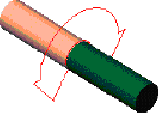
This component represents a simple torsional spring-damper connector. A torsion spring describes a rotational connection between two parts. Adams Driveline models the torsion spring with a single-component force that works with the relative angular displacement and the relative angular velocity. Adams Driveline creates a revolute joint between the I and J parts.
Learn about torsion springs:
Creating or Modifying Torsion Springs
To create or modify a torsion spring:
1. From the Driveline Components menu, point to Torsion Spring, and then select New/Modify.
3. Select OK.
About Torsion Springs
The elements that the torsion spring creates are:
■Revolute joint connecting the two parts
■Rotational single-component force connecting acting between the two parts
■Request
Note: | Adams Driveline automatically creates some kinematic joints in this component. |
The torsion spring force is defined as follows:
Spring Type: Linear
Torque= - Stiffness * AZ(I mar, J mar) - Damping * WZ(I mar, J mar, I mar)
Spring Type: Non-linear
T = (-AKISPL(AZ(I mar, J mar), 0, spline) - Damping * (WZ(I mar, J mar, I mar)))
-STEP(WZ(I mar, J mar, J mar), -1, -Hysteresis * 0.5, 1, Hysteresis * 0.5)
-STEP(WZ(I mar, J mar, J mar), -1, -Hysteresis * 0.5, 1, Hysteresis * 0.5)
where:
■T = Resulting torque
■Stiffness = Torsional stiffness
■Damping = Torsional damping
■Hysteresis = Total hysteresis torque
■I mar = Marker belonging to the I part
■J mar = Marker belonging to the J part
Note: | The following applies to those using these components for shaft elasticity: In the create/modify dialog box in the Template Builder and in the modify dialog box in the Standard Interface (learn about the Interface Modes), you can access an additional dialog box that helps you select "first attempt" values for Stiffness and Damping based upon the material, length, and section type of the shaft. This option can be very useful in early stage studies in which adequate data are not yet available. |
In the Standard Interface, you can vary values for torsional stiffness and damping for a Linear torsion spring. For a Non-linear torsion spring, you can vary values for damping, hysteresis, and property file. The property file for a non-linear torsion spring contains a curve of torque vs. angle. You can also remove the compliance of the torsion spring from your system by setting Lock = yes.
Request Definition
Result name: <torsion spring name>_data
Component: | Component name: | Component units: | Definition: |
|---|---|---|---|
F2 | angular | angle | The angle between the two parts connected with the torsion spring. |
F3 | angular velocity | angular velocity | The angular velocity between the two parts connected by the torsion spring. |
F4 | torque | torque | Torque exerted between the two parts connected by the torsion spring. |
Subsystem Parameters
■Property file
■Spring type
■Stiffness
■Damping
■Hysteresis
■Lock
Example non-linear torsion spring property file:
<adriveline_shared>/complex_springs.tbl/mdi_0001.tsf
$----------------------------------------------------------MDI_HEADER
[MDI_HEADER]
FILE_TYPE = 'dpr'
FILE_VERSION = 4.0
FILE_FORMAT = 'ASCII'
$---------------------------------------------------------------UNITS
[UNITS]
LENGTH = 'mm'
ANGLE = 'degrees'
FORCE = 'newton'
MASS = 'kg'
TIME = 'second'
$---------------------------------------------------------------CURVE
[CURVE]
{ angular_displacement torque}
-7.000E+00 -5.000E+05
-6.000E+00 -3.500E+05
-5.000E+00 -2.300E+05
-4.000E+00 -1.500E+05
-3.000E+00 -9.000E+04
-2.000E+00 -6.000E+04
-1.000E+00 -3.000E+04
+0.000E+00 +0.000E+00
+1.000E+00 +3.000E+04
+2.000E+00 +6.000E+04
+3.000E+00 +9.000E+04
+4.000E+00 +1.500E+05
+5.000E+00 +2.300E+05
+6.000E+00 +3.500E+05
+7.000E+00 +5.000E+05