Limited Slip Differentials
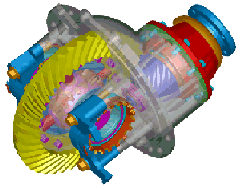
This component is described as a force acting between differential side gears and the differential casing. No additional parts are modeled.
Learn about limited slip differentials:
Creating or Modifying Limited Slip Differentials
To create or modify a limited slip differential:
1. From the Driveline Components menu, point to Limited Slip Differential, and then select New/Modify.
3. Select OK.
About Limited Slip Differentials
A limited slip differential can be:
■Viscous - You must select a property file containing the characteristic describing the way the torque is transferred from one side to the other if one wheel starts to spin. During the simulation, as soon as one wheel start to spin the torque applied at that wheel decreases and is transferred to the other wheel. The sum of torques applied at both wheels is kept constant and equal to the torque exerted by the engine.
■Clutch-pack - You can simulate the behavior of a clutch device which prevents one wheel from spinning. Input parameters are friction coefficient, friction arm, torque preload, ramp angle of the gear, side gear radius, and the revolute joints between side gears and the differential casing. This component can evaluate thrust forces due to gear contacts, and can use these forces to calculate the friction forces in the clutch.
■Torque-sensing - You must specify the bias ratio and the torque and speed thresholds at which the differential starts transferring torque. You must also specify an Adams variable which defines the input torque. (In some cases, this variable is replaced by an input communicator pointing to an Adams variable defined in another subsystem.) Select Torsen Type A/B to represent an even torque split between the differential outputs. Select Torsen Type C to represent a center differential with a user-specified Nominal Torque Split. The percentage of torque applied to the first and second gear parts must add up to 100. For example, if user enter 30 for First Ratio, Adams Driveline will suggest 70 for the Second Ratio.
The expression of the differential torque is as follows:
Diff Torque = Input Torque * Scale / Kinematic Ratio * STEP(Dw, -Speed Threshold, -1, Speed Threshold, 1)*
STEP(Input Torque, -Torque Threshold, -1, Torque Threshold, 1)
This torque function is applied to both halves of the differential. The difference in sign is handled by the definitions of the I and J markers of the two torques.
where:
■Scale = 0.5 * (bias -1) / (bias + 1)
■Kinematic Ratio = First Ratio/Second Ratio
■Dw = difference in angular velocity between the first and second parts
You can deactivate the limited slip differential using the Adams Driveline Activity Wizard.
In the Standard Interface, you can vary values for the following:
■Property file (for viscous-sensing limited slip differentials)
■Friction (for clutch-pack limited slip differentials)
■Friction arm (for clutch-pack limited slip differentials)
■Torque preload (for clutch-pack limited slip differentials)
■Gear Ramp Angle (for clutch-pack limited slip differentials)
■Side gear radius (for clutch-pack limited slip differentials)
■Bias ratio (for torque-sensing limited slip differentials)
■Torsen type (for torque-sensing limited slip differentials)
■Torque threshold (for torque-sensing limited slip differentials)
■Speed threshold (for torque-sensing limited slip differentials)
■First ratio (for Type C torque-sensing limited slip differentials)
■Second ratio (for Type C torque-sensing limited slip differentials)
Request Definition
Component: | Component name: | Component units: | Definition: |
|---|---|---|---|
F2 | left angular velocity | RPM | The angular velocity of the left side gear. |
F3 | right angular velocity | RPM | The angular velocity of the right side gear. |
F4 | left force | torque | Torque applied between the left side gear and the differential casing. |
F6 | right force | torque | Torque applied between the right side gear and the differential casing. |
Subsystem Parameters
■Type
■Property file
■Bias ratio
■Torque threshold