Starting the Job Server
The job server can be started from inside Adams or via the mdi script in a command/terminal window
In a terminal window on Linux
mdi -c aexplore ru-jobserver
In a command window on windows
mdi aexplore ru-jobserver
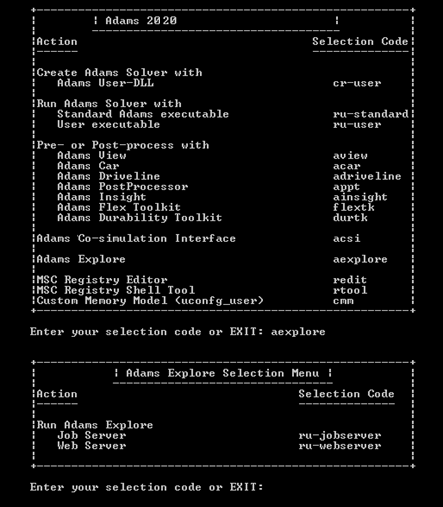
The server can also be started from inside Adams on all platforms using the command:
aexplore server jobserver start
And in Adams Car through the menu option Tools → Explore → Server → Start Jobserver.
When starting the Job Server a terminal window with output similar to the following should appear:

Important: | The web server and the job server must be running in the same directory. The directory is passed to the servers through the environment variable AEXPLORE_DATA_DIR. |