Submitting a Workbook File Through the Web Browser
If the hyperlink next to "Analysis Machine" in the workbook file document on the Analyses tab is clicked and if the web server is started on that machine, the following web page will appear in a web browser.
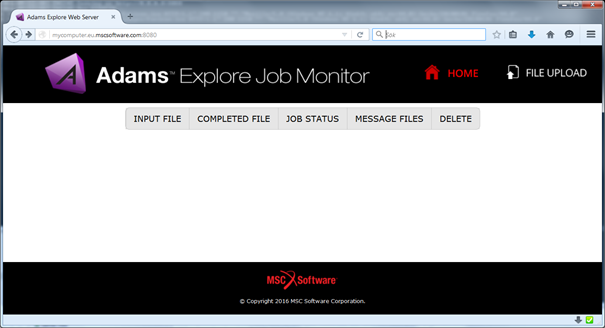
To upload click the "FILE UPLOAD" and then click "Browse..." button to get the document. Submit the file to the server by clicking "Submit".
After upload the following webpage will be displayed:
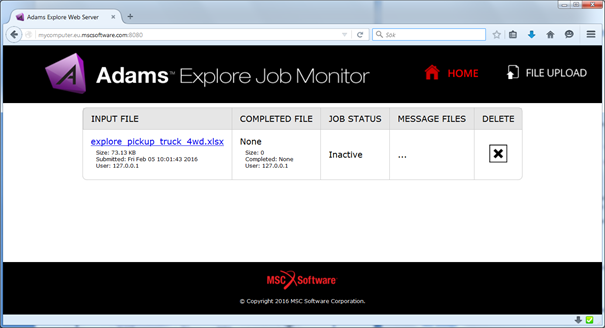
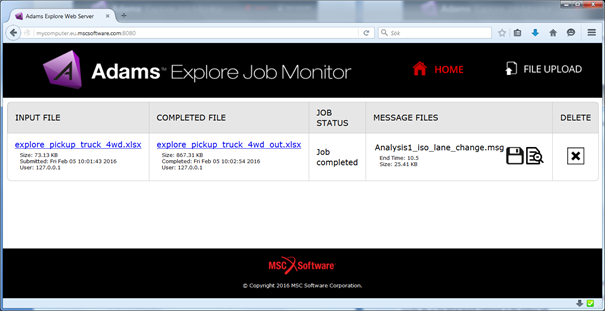
The web page will continue to update with new statuses in the JOB STATUS column. For detailed status of the job when it is running the link in the column INPUT FILE can be clicked. If done, the following page will be displayed:
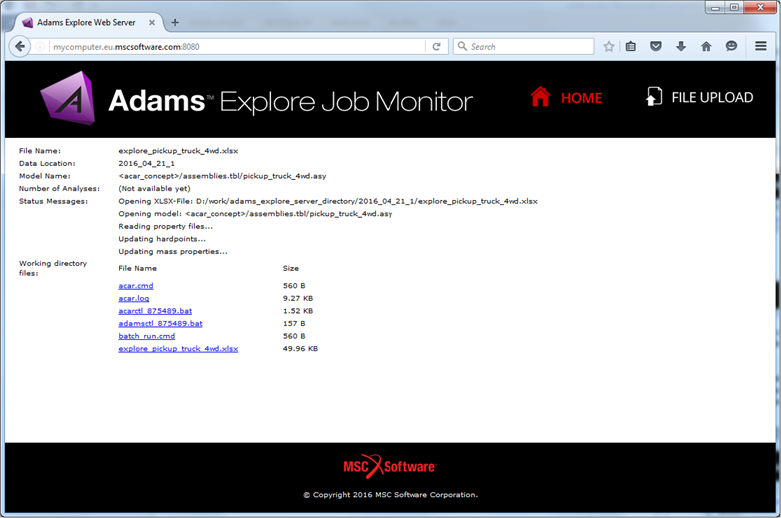
Here all files generated by the simulation can be seen and downloaded to the local computer for analysis. Eventually, when the simulation has started the message file of the simulation is displayed on the main page (for Adams Car based simulations only; the Adams View based simulations use the internal solver which does not write the message file).
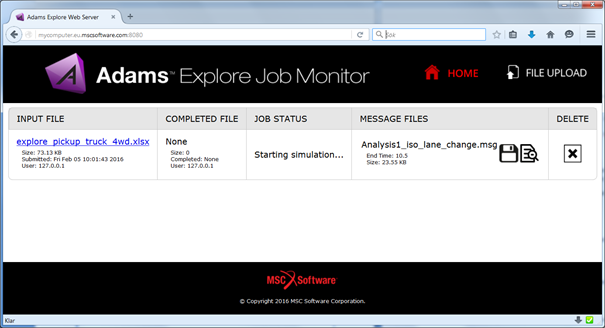
The tail of this file can be viewed by clicking the  icon and the complete file can be downloaded if the
  icon is clicked.
icon and the complete file can be downloaded if the icon is clicked.After the job has been completed the output workbook file will be made available in the COMPLETED FILE column. The file will be a copy of the input file, with appended plots, one page in the Adams postprocessor will correspond to a worksheet in the workbook file. It may also have a page with evaluated design objectives.
Note: | If no objectives were exported or no plot configuration files were selected for the simulations, then no output workbook file will be generated. |