Verifying via the Info Tool
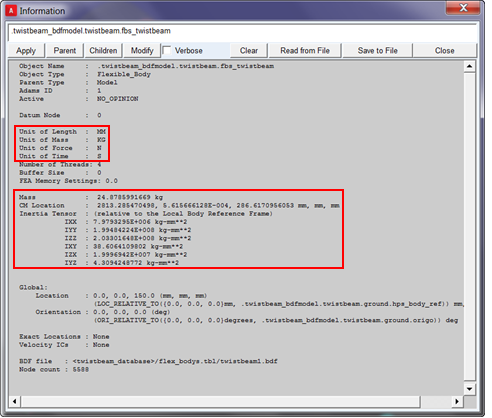
The Info tool in Adams is useful to verify what was imported into Adams. For example, it is important to verify that the mass properties and units of the nonlinear flexible body in Adams match one's expectations based on the originating finite element model. To list info on nonlinear flexible bodies, right-click on the flexible body from the graphics window or model browser and select "Info." The Information window will display the details of the flexible body.
Notes: | ■Additional processing time is necessary and will cause a delay in Adams View operation when the), performs List Information on the nonlinear flexibly body, or performs a model Verify. These operations require additional information such as mass and stiffness properties to be calculated for the nonlinear flexible body behind the scenes by the Adams NLFE Service. ■The Gruebler count displayed in the Information window has a contribution from the nonlinear flexible bodies in the model. This contribution is calculated in the same way as for linear (MNF-based) flexible bodies. A 20-mode MNF is generated automatically in the background for this purpose. For more details about the Gruebler count for nonlinear flexible bodies, see "Verifying Your Model". |