Animation of roller load distribution
The animation settings dialog box allows you to switch on advanced postprocessing of Bearing AT elements, thus better understand the load distribution over rolling elements of a bearing instance. Make your choice before animating your model.
In the current version you can choose one bearing instances per definition for color coding. Please do not forget to set appropriate value of Max. Load parameter (Figure 137) based on results of roller load (Figure 136).
Note: | You do not need to rerun Adams Solver simulation after modification of the Max. Load parameter but be aware that the animation corresponds to the results of the latest solver run. |
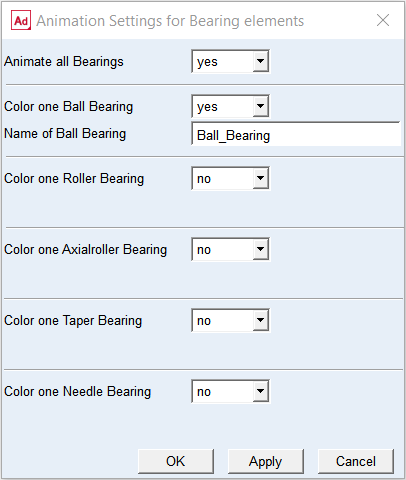
Figure 135 Animation settings dialog box
For the options | Do the following |
|---|---|
Animate all Bearings | Select yes/no |
Color one Ball Bearing | Select yes/no |
Name of Ball Bearing | Select one instance of ball bearing for color coding of rolling elements based on the load |
Color one Roller Bearing | Select yes/no |
Name of Roller Bearing | Select one instance of roller bearing for color coding of rolling elements based on the load |
Color one Axial Roller Bearing | Select yes/no |
Name of Axial Roller Bearing | Select one instance of axial roller bearing for color coding of rolling elements based on the load |
Name of Taper Bearing | Select one instance of taper bearing for color coding of rolling elements based on the load |
Color one Needle Bearing | Select yes/no |
Name of Needle Bearing | Select one instance of needle bearing for color coding of rolling elements based on the load |
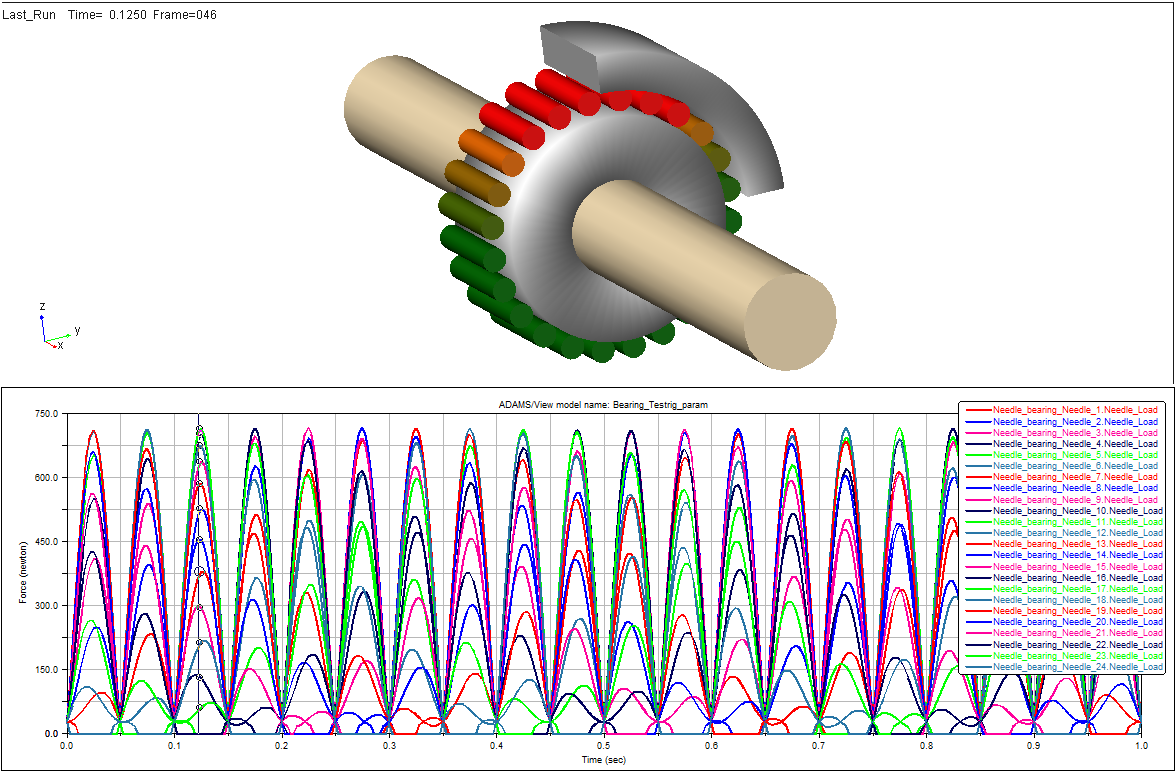
Figure 136 Animating rolling elements max. load distribution
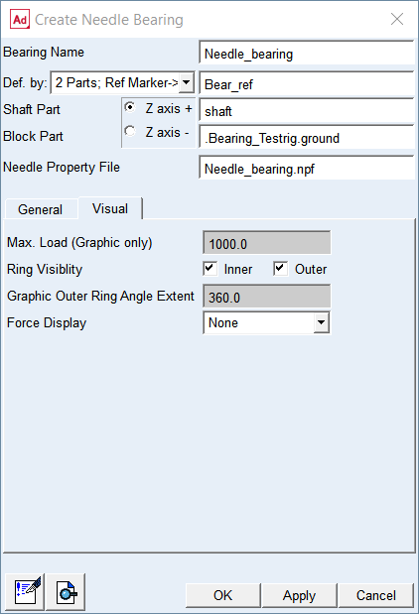
Figure 137 Set Max.Load parameter for bearing element color coding