Hole Tool 
Ribbon menu → Bodies tab → Features container → Hole Tool
or
(Classic) Build → Bodies/Geometry → Hole Tool
Creates circular holes in solid objects.
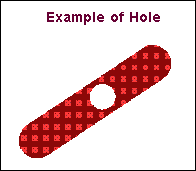
As you create a hole, you can specify its radius and depth.
Note: | You cannot specify the radius and depth of a hole so that it splits the current geometry into two separate geometries. |
Learn about Creating a Hole or Boss.
For the option: | Do the following: |
|---|---|
Radius | Enter the radius of the hole. |
Depth | Enter the depth of the hole. |