Applying Temporary Settings Files
One or more temporary settings files can be applied to a model for the purpose of modifying the model just while running a simulation. The following sections describe each of the places in Adams View where temporary settings files can be applied.
Applying to a Simulation
The Adams View Simulation Control dialog has a Temporary Settings field from which one or more temporary settings files can be browsed for and selected for use with the given simulation. After the simulation is over, the temporary settings are reverted and the model is returned to its baseline state.
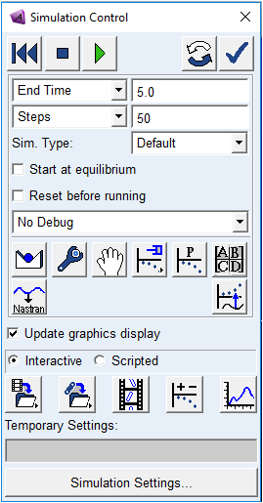
To learn more see the dialog box help for Simulation Controls.
This field will not appear here by default. See Enabling Temporary Settings to learn how to enable this capability.
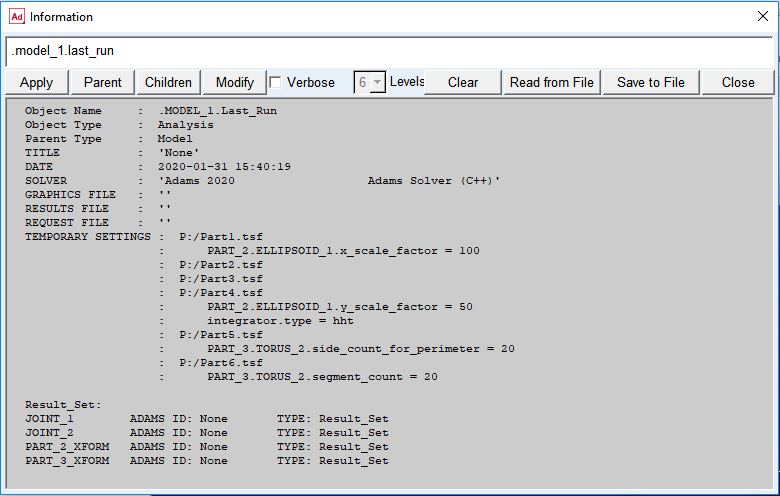
The analysis object created for any simulation run with temporary settings will reflect that in its Information listing:
Applying to an Adams Solver Dataset
The Adams View File Export dialog for an Adams Solver dataset has a Temporary Settings field from which one or more temporary settings files can be browsed for and selected for use with the .adm file.
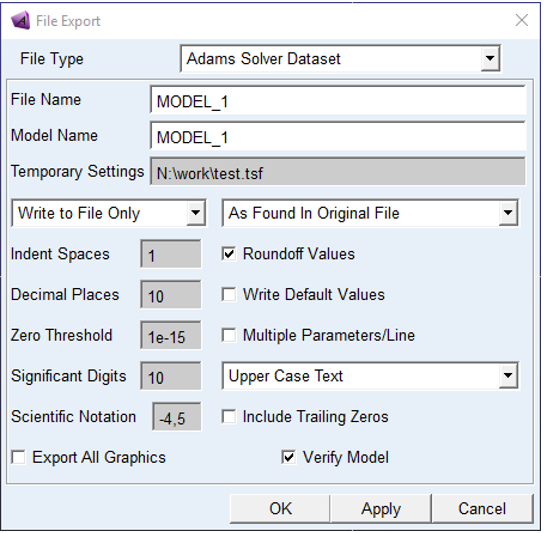
After the .adm file has been exported, the temporary settings are reverted and the model is returned to its baseline state. To learn more see the dialog box help for Export - Adams Solver Dataset.
This field will not appear here by default. See Enabling Temporary Settings to learn how to enable this capability.
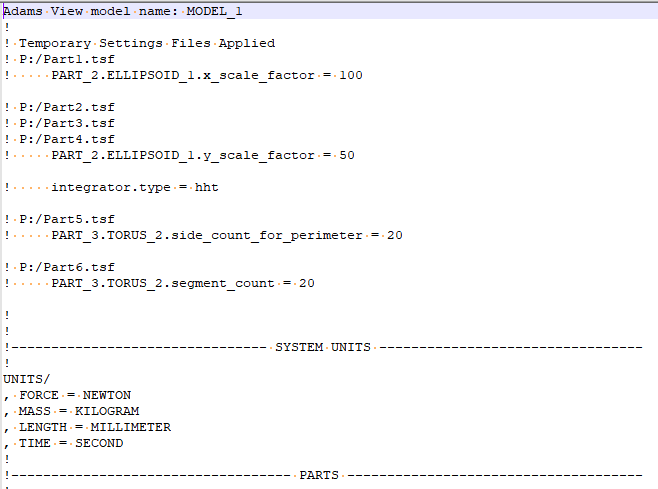
The header of any .adm file exported with temporary settings will reflect that:
Applying within the Design Evaluation Tools
The Adams View Design Evaluation Tools dialog has a Temporary Settings field from which one or more temporary settings files can be browsed for and selected for use with the given multi-run simulation job.
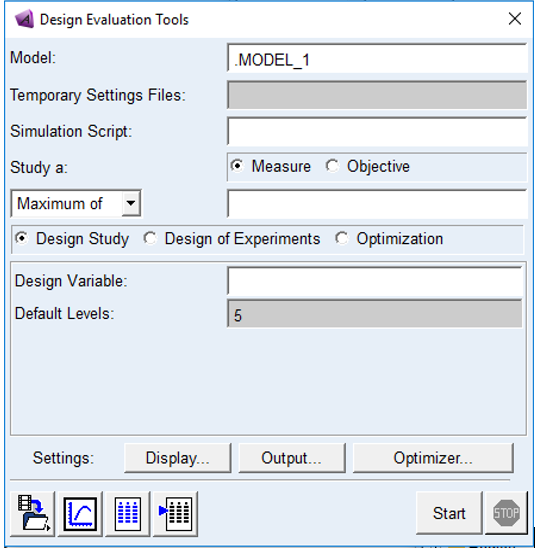
After the job is over, the temporary settings are reverted and the model is returned to its baseline state. To learn more, see the dialog box help for Design Evaluation Tools.
This field will not appear here by default. See Enabling Temporary Settings to learn how to enable this capability.