What You Will Create and Analyze
In this tutorial, you run several analyses on a full-vehicle assembly, as shown in Figure 1, and then view the results using animation and plotting. To perform the analyses, you create an assembly containing all the subsystems in the full vehicle.
Figure 1 shows the full-vehicle assembly (front iso view, fit to view).
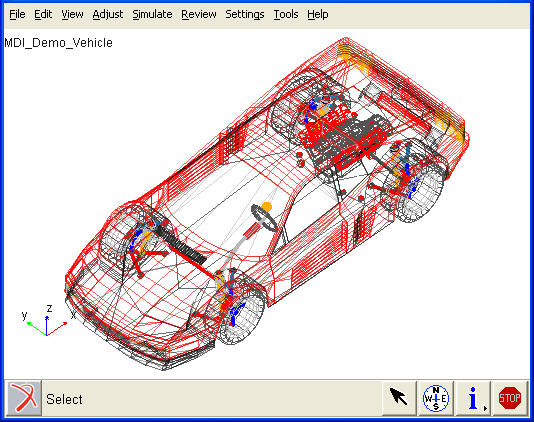
Figure 1 Full-Vehicle Assembly
After you create the full-vehicle assembly, you do the following:
■To quantify how the vehicle responds to steering inputs, you perform a single lane-change (open-loop) analysis on the vehicle. A single lane-change analysis controls the steering subsystem and simulates a simple lane-change maneuver with the set of parameters you enter when you submit the analysis.
■To evaluate the vehicle’s understeer and oversteer characteristics, you run a constant radius cornering analysis.
■To drive the vehicle through a lane-change course as described in ISO-3888, you run an ISO lane-change analysis.
■After you run each analysis, you animate and plot its results.