Solver Settings File Editor
The dialog box is used to create, modify, import, export and apply Solver Settings Files (extension .ssf).
For the option: | Do the following: |
|---|---|
Assembly | Select the Assembly you want to use to browse for existing solver settings or to apply the settings defined in the table to. The option menu lists all suitable assemblies currently open in your session. |
Settings File | Enter, search or browse for the name of a solver settings file. |
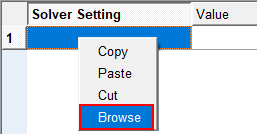
Solver Settings | This column contains setting.property. Add properties here via right-click - Browse or via the Import button which imports a set of properties from an existing temporary settings file. |
Value | Specify the corresponding solver setting values. |
Insert Row | Inserts a row above the selected row. |
Delete Row | Removes the selected row(s). |
Clear Table | Clears the table by removing all rows. |
Apply to Assembly | Applies the table values to the selected assembly object, overwriting the values defined previously. This is equivalent to using the Solver Settings dialog to change your assembly solver parameters, and any changes applied will be added to the assembly file upon save. |
Target | Select Database or Directory, then select your desired location to write the file. |
Info | Display information on currently registered and active databases. |
New Settings File Name | Enter the file name prefix of the solver settings file to be exported. |
Save | Saves a Solver Settings File from the table content, using the defined target folder or database and file name prefix. |
"Browse" option on right-mouse click within cells
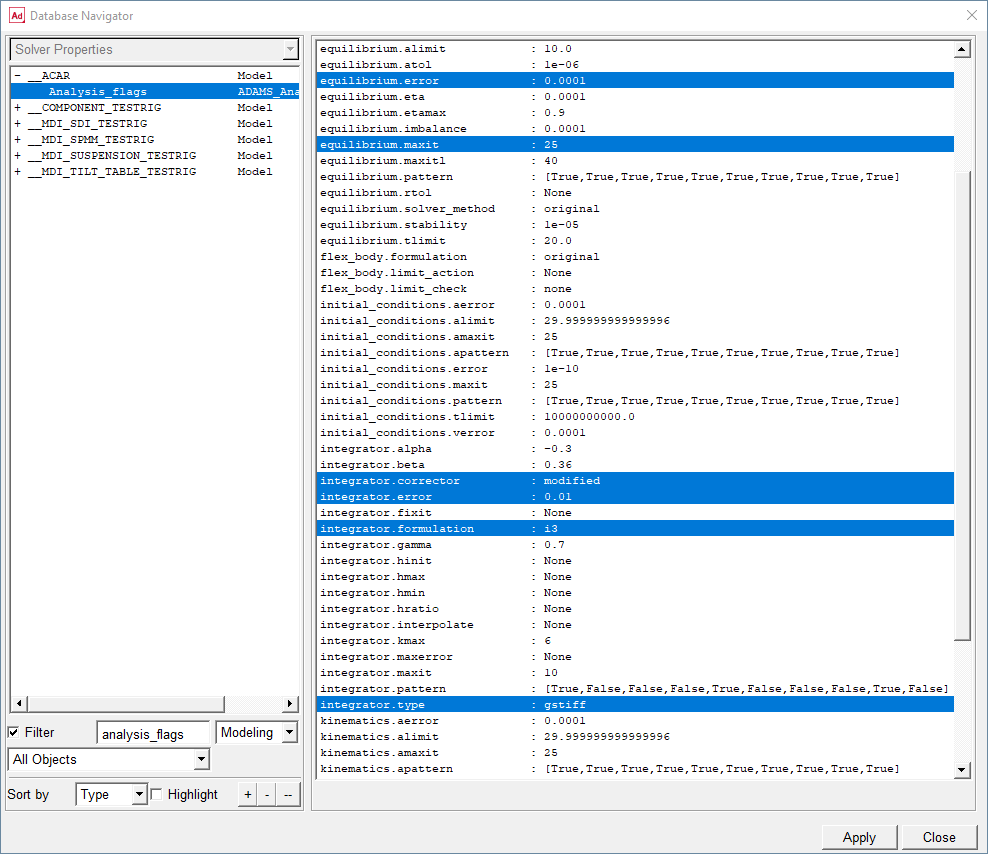
Property Browser
The property browser allows you to review all current solver settings at once, and to select one or more settings to be inserted to the solver settings editor table.
Note: | ■Some Adams Solver settings are not supported by the temporary settings functionality. They mostly deal with things related to output formatting and display during simulation. All settings in the following categories or sub-categories in the Solver Settings dialog are unsupported by temporary settings: ■Display ■Output ■Files ■Database Storage ■Results (.res) Options ■Results (.res) Contents ■Output (.out) Content ■Message (.msg) Content ■Durability Files ■Debugging (also the "Debug" option under Optimization) ■Advanced |