Using AFI Files
ViewFlex writes information about centerline, cross section, attachment points, and flexible elements to a ViewFlex input (AFI) file. In Adams View they are stored in the working directory. Template-based products (for example, Adams Car and Adams Rail) however, store AFI-files in the appropriate database during Template Builder operations. If you save them in the current working directory, a user can use them in the Standard Interface. This way, there is no risk of overwriting AFI or modal neutral files (MNFs) during the modeling phase, preserving the template topology. Learn more about working with template-based products, see Notes on Using ViewFlex with Template-Based Products.
ViewFlex parses the input AFI file and generates a corresponding MNF. In the ViewFlex dialog box, the "Load AFI File" text box can be used to search for and load an existing AFI file. ViewFlex fills the remaining text boxes with information stored with the specified file. The definition of the flexible body can be edited and loaded. If the content of the AFI file is not consistent with the current model data, ViewFlex stops loading the file. For example, if not all centerline or attachment points defined in the AFI file exist in the current model, it is not possible to load that specific AFI file.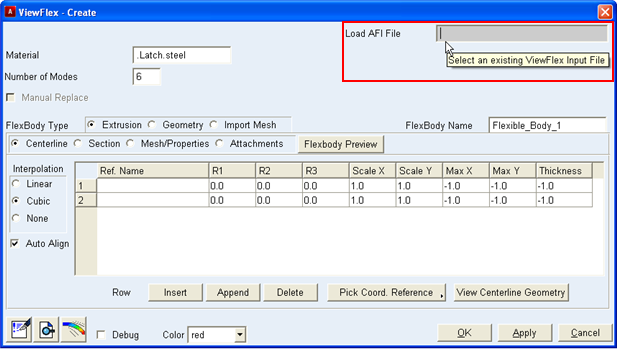
However, if all the points exist, but the coordinates of the centerline or attachment points in the AFI file differ from the current ones, ViewFlex fills the dialog box with coordinates from the model and overwrites the AFI file.
Adams Car distributes AFI files as examples in a directory in the shared Adams Car database.
If the AVIEW _ATTACHMENTS and/or AVIEW _CENTERLINE blocks are deleted from the AFI file, ViewFlex creates a new marker to satisfy the location data defined in the AFI file automatically.
For more information on AFI files, refer to chapter ViewFlex Input Files.