Gear AT convert FGF
In previous release (Gear AT 2020) the naming structure for cylindrical gears was adjusted to meet the structure of remaining gear types. The former property file FGF becomes now CGP - Cylindrical Gear Property file. In comparison to previous release, we dropped the option to convert FGF file to CGP in the Shape Definition dialog box, so now the conversion is done only in Dialog box accessible from Gear AT Preprocess menu (see Figure 57). In addition, we support now the full conversion including PRO to CGD transformation, which was missing in previous release, thus the converted property files are not locked anymore.
The automatic conversion of PRO to CGD has one limitation, profiles generated with the tooth definition method in the older convention ( FGF + PRO ) will have slightly different shape in root fillet, as the simplified method was enhanced, and now real virtual cutter is used to form the root fillet. The difference between new CGD based profile shape and PRO based profile shape can be investigated with compare functionality in Plot Panel dialog box, where now also FGF and CGP file can be loaded. Adjustment of the parameter Root Radius in CGD file leads to minimal differences in the root fillet.
Conversion via Convert FGF to GCP files dialog box
This process allows you to convert multiple files in one execution.
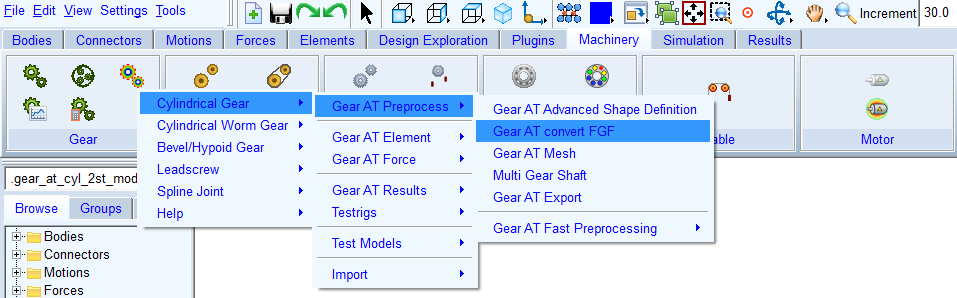
Figure 57 Conversion to CGP file via menu