Modify Gear AT Worm / Worm Wheel Element
An existing Gear AT Worm Element can be modified in several ways; by right-clicking on the object in Adams View (Figure 212), by right-clicking in the Model Browser and/or through the database navigator.
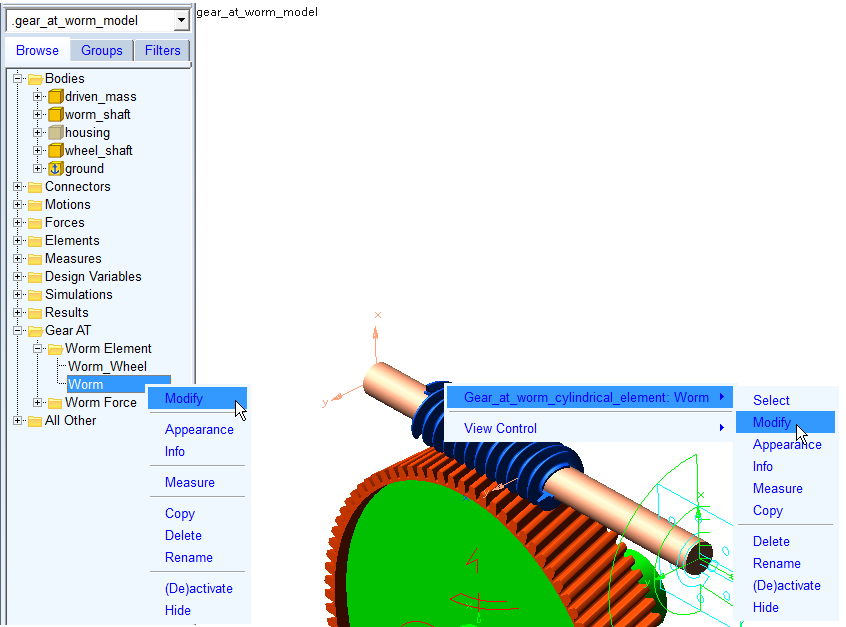
Figure 212 Modify Gear AT Worm element
When a Gear AT Worm Element is selected for the modification, a dialog box is popped out, as shown on the left side of the Figure 213. By clicking the icon marked on the left dialog box in the Figure 213, another dialog box is opened for the Modifications. Once the modification values are applied, you need to click the Save WGP File button to update the Gear AT Worm or Worm wheel Element along with respective *.wgp file.
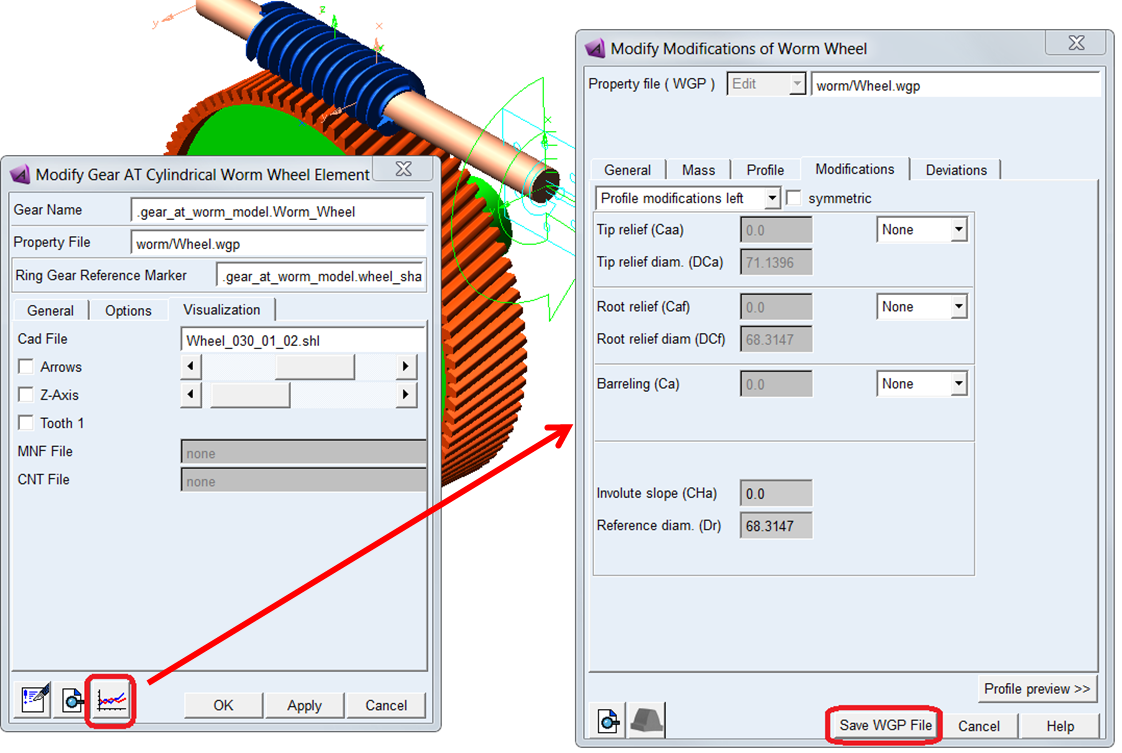
Figure 213 Gear AT Worm / Worm Wheel element modify
One can quickly activate or deactivate modifications and deviations to evaluate their impact on simulation results by toggle ON or OFF in the Options tab as shown in the Figure 214.
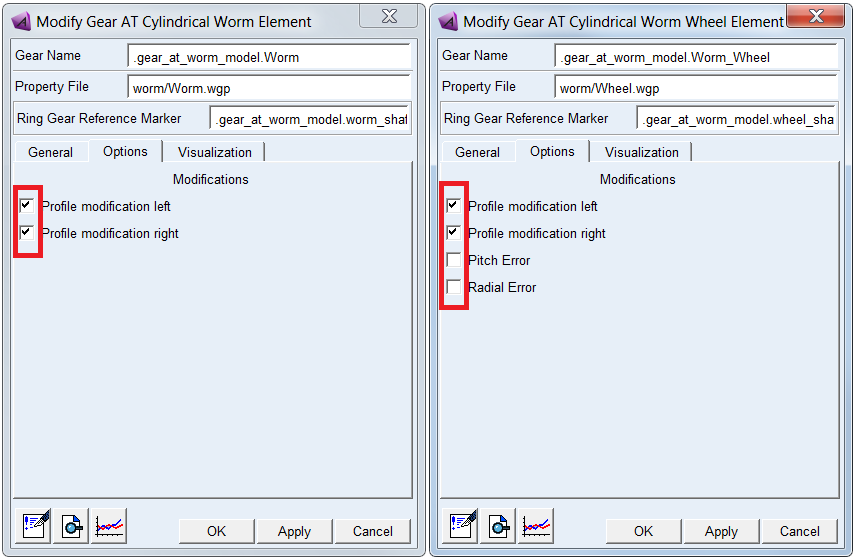
Figure 214 Activate deviations and modifications