Creating a UDE Instance
To create a UDE Instance, use the "Ude Create Instance" dialog launched from the command navigator:
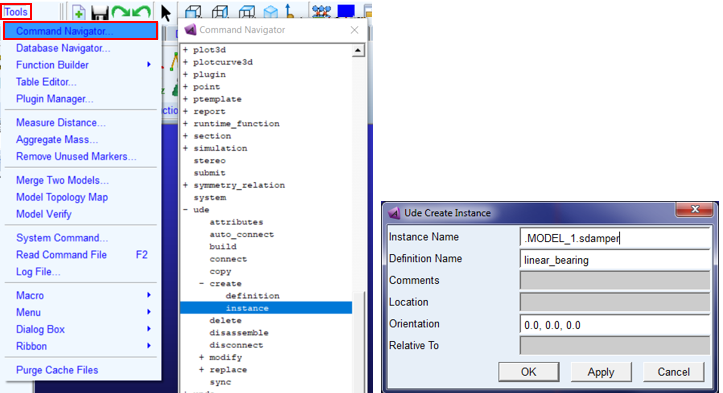
This is where one can create in their model an instance of a UDE definition. This UDE Instance is an object within a given model. So, the Instance Name field expects the instance name to be under a model name. The two other things that must be specified to create a UDE Instance are:
■The UDE Definition upon which this UDE Instance is based
■The position, spatially, where the UDE Instance should be in the model (defined by the Location, Orientation and Relative To fields)
Note: | Once you have created an instance, you cannot go back and change its definition without first deleting the instance. |
For a step-by-step tutorial illustrating how to create a UDE definition, including creation of a library, see Tutorial: Simple UDE.
Be advised that for cases where a UDE instance requires an interface marker, one cannot solely use this Ude Create Instance dialog directly. One must employ Adams View macros as described in the Using Macros with UDEs.