Flexible Body Definition Methods
There are three methods for defining flexible bodies in ViewFlex and integrating them into Adams:
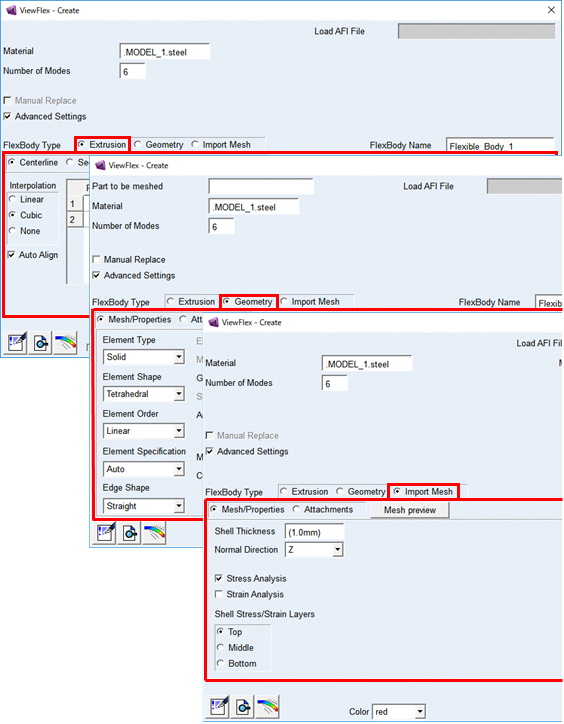
Extrusion Method
Using this method, following points are specified:
■A centerline along which the extrusion is performed
■A section to extrude
■General material and mesh properties
■Points at which the flexible body will be attached to other bodies
ViewFlex uses the information to create a flexible body. In the example below, a centerline along which to create an extrusion and a generic body section to specify a shell are defined.
Further reading in chapter Generating Parametric Extrusions.
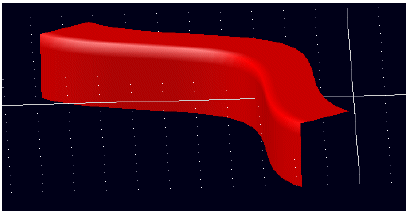
Figure 5 Example of Flexible Body Created Using Extrusion Method
Geometry Method
The Geometry Method is either applied to let ViewFlex create a flexible body automatically, or to specify:
■An existing geometry to convert to a flexible body
■General material and mesh properties
■Points at which the flexible body will be attached to other bodies
From these specifications, ViewFlex creates a flexible body from the existing geometry, as shown in the figure below. It shows the application on a cross plate, meshed with solid tetrahedral elements and containing two attachment points.
More about the Geometry Method in chapter, see Creating Flexible Bodies from Existing Solid Geometry.
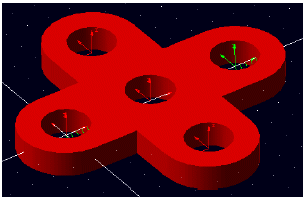
Figure 6 Example of a Flexible Body Made from Existing Geometry
Import Mesh Method
The user can choose between letting ViewFlex create the flexible body automatically, or manually specify:
■An existing mesh defined from an external finite element modeling (FEM) program (nodes and elements only)
■General material
■Attachment points
From this information, ViewFlex creates a flexible body, as shown in the example below. This example shows a simple link, meshed with solid tetrahedral elements, and containing two attachment points.
To find out more about the Import Mesh Method, see Creating Flexible Bodies from Imported External Meshes.
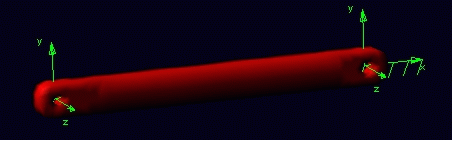
Figure 7 Example of Flexible Body Create d Using Import Mesh Method