Welcome to Gear AT
Introduction
Adams/Gear AT (Advanced Technology) is a user-friendly and efficient design and simulation process for straight and helical internal and external spur gears integrated in the motion tool Adams from Hexagon. Gear AT can be used from gear stage design up to system engineering. This scalability enables one to apply Gear AT from conceptual design up to optimization, what will help to increase the efficiency of the simulation team.
The Adams Gear AT plug-in needs to be installed and loaded in current Adams View session; see under Tools − Plugin manager in the main tab.
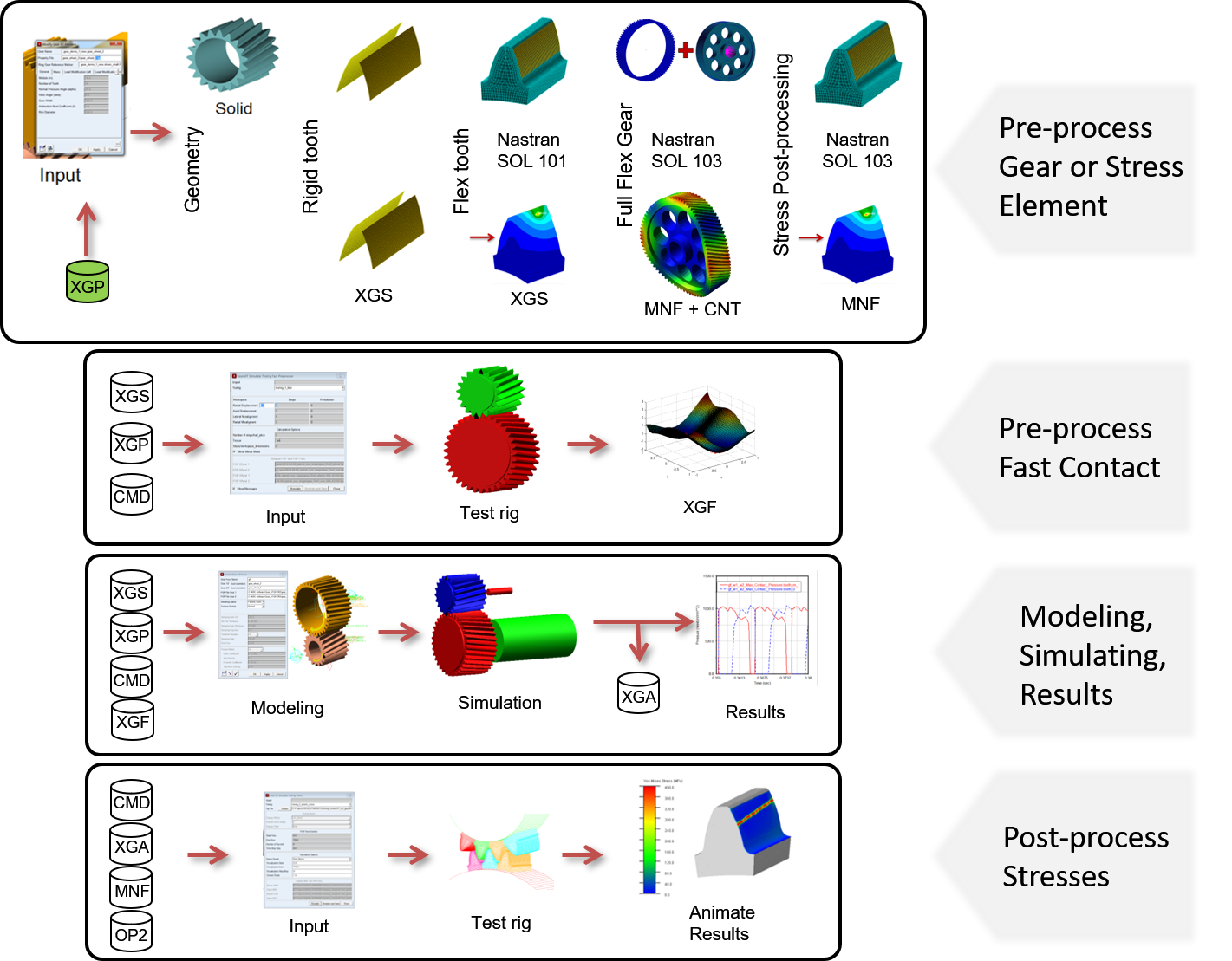
Figure 1 Modeling Process
The modeling process of Gear AT can be divided into a preprocessing, an Adams modeling and simulation phase as shown by Figure 1.
Input of Adams/Gear AT is limited to common engineering data for gear design such as module, number of teeth, width, helix angle and so on. The profile of the gear is created by Gear AT. All input data is stored and/or retrieved from the *.XGP file and *.XGD file.
The gear contact force is computed by a contact solution between the teeth flanks in any valid Adams solution (kinematic, quasi-static, dynamics, linear). Gear AT provides direct solving for rigid-to-rigid or for flexible-to-flexible contact and a pre-computed contact with Gear AT Fast. The flexible contact algorithm in Adams is based on finite element modeling by Nastran and it offers very high performance. All relevant Nastran results for the flexibility of the tooth are stored in the XGS (Gear Stiffness) file. Wheel body stiffness is combined with stiffness of Flexible Tooth in case of the Full Flex Gear modeling option which is based on modal flexibility implemented in Adams/Flex. The contact algorithm supports commonly applied micro-geometry. The Gear AT Fast uses the power of flex to flex contact employing Flexible Tooth modeling approach in preprocessing phase and enables high productivity and efficiency in simulation phase. For this modeling approach precomputed contact forces are stored in lookup table of *.XGF (Gear Fast) file.
In Gear AT there are number of files storing gear data each having specific extensions. The first two letters of extension denote a gear type:
■CGy - Cylindrical Gear
■HGy - Hypoid (bevel) Gear
■WGy - cylindrical Worm Gear
■TLy - Trapezoidal Leadscrew
■ISy - Involute Spline
the last letter of extension denotes type of data stored in a file:
■XGD & XLD- Definition file (used to store basic geometrical data for exchange)
■XGM - Gear Measurement file (data translated from MKA file to define measured micro-geometry - cylindrical gears only)
■XGP & XLP - Property file (referenced by gear element)
■XGS & XLS - Stiffness file (used by solver)
■XGF - lookup table for Gear Fast modeling option (used by solver)
■XGR - Results file for advanced results postprocessing (Contact pattern, Wear results)
■XGA - results file for Flex Tooth Animation (used by solver for postprocessing - cylindrical gears only).
There are other files not specific for gear type:
■MKA - measurement data file from measurement machine
■OPT - option file (used for mesh preprocessing)
■CNT - modeshape file (used by solver for wheel body deformation computation)
■OP2 - Nastran result file (used for preprocessing, used by solver for postprocessing - cylindrical gears only)
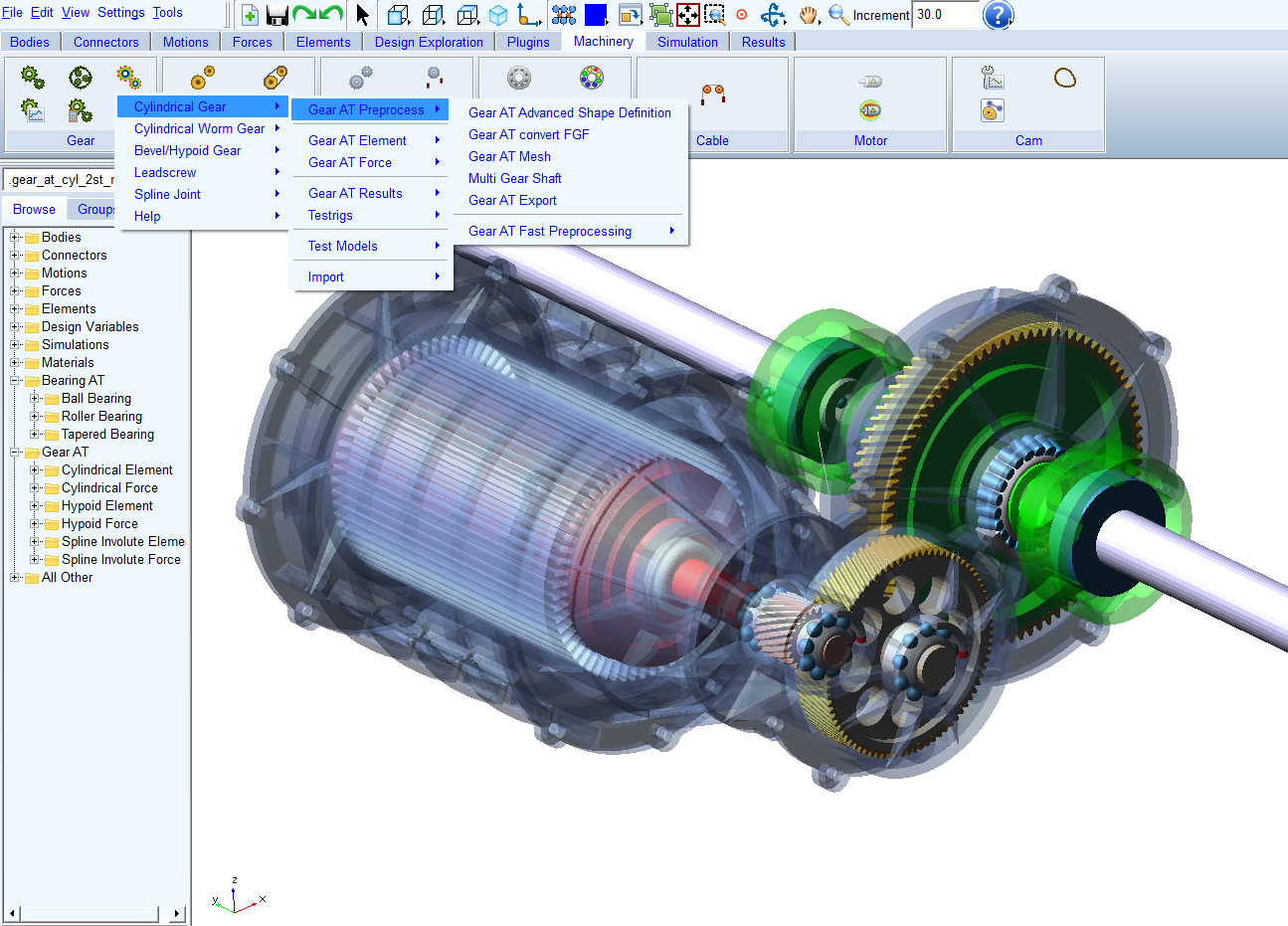
Figure 2 Gear AT task options
Modeling in Gear AT is very fast and user-friendly; basic expertise in Adams is sufficient. No knowledge of Nastran is required, as meshing and FE-analysis are fully automated.
Gear AT currently offers three type of gears, one type of lead screw and one type of spline joint, each having its modeling flow.
In this release we dropped the prior cylindrical gear element. To learn how to convert your legacy models, please read Conversion of Legacy models.